
Drip Campaigns: View Metrics (Delivered, Opened, Clicked)
Last updated: May 29, 2025
18
views

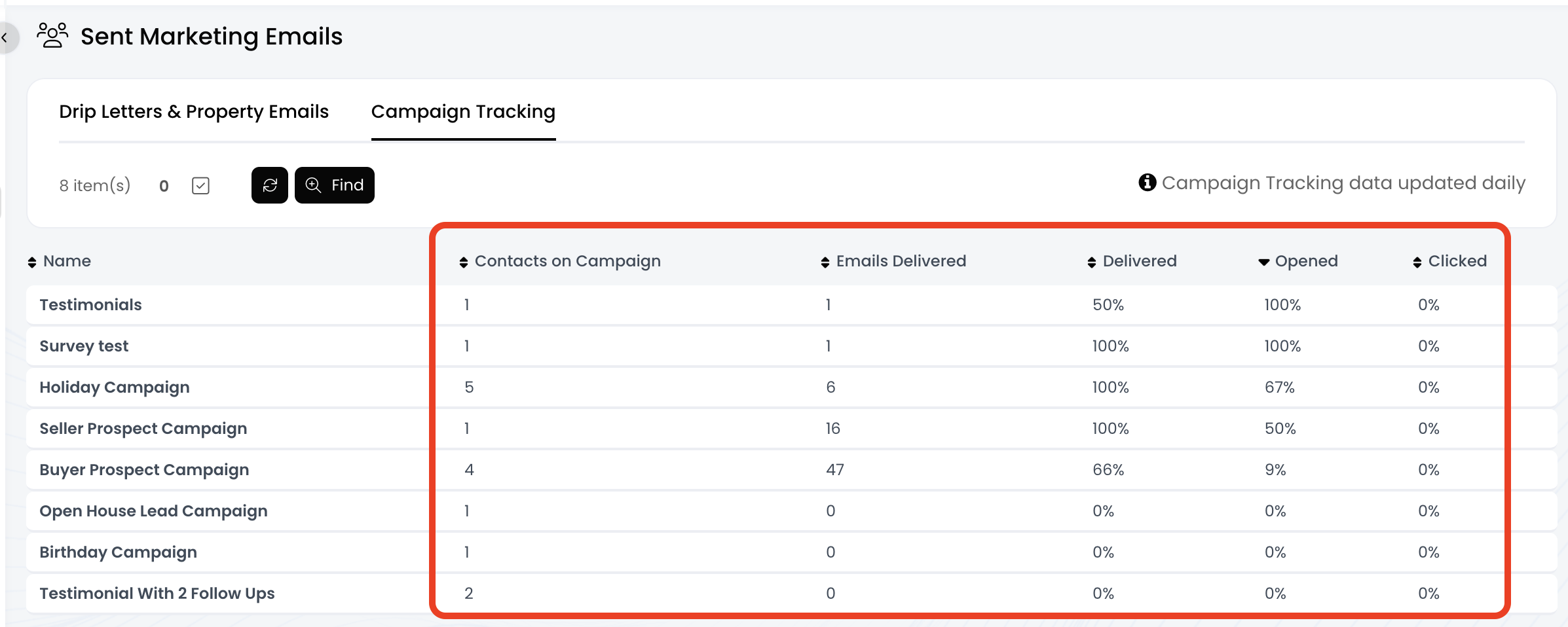
If you've added contacts to any drip campaigns within APT, you can view the metrics for each campaign! These metrics include Number of Contacts Added, Number of Delivered Emails, Delivered Rate %, Opened Rate %, and Clicked Rate %.
*** Please Note: These metrics are only updated once a day ***
📺 Click here to watch a video tutorial 📺
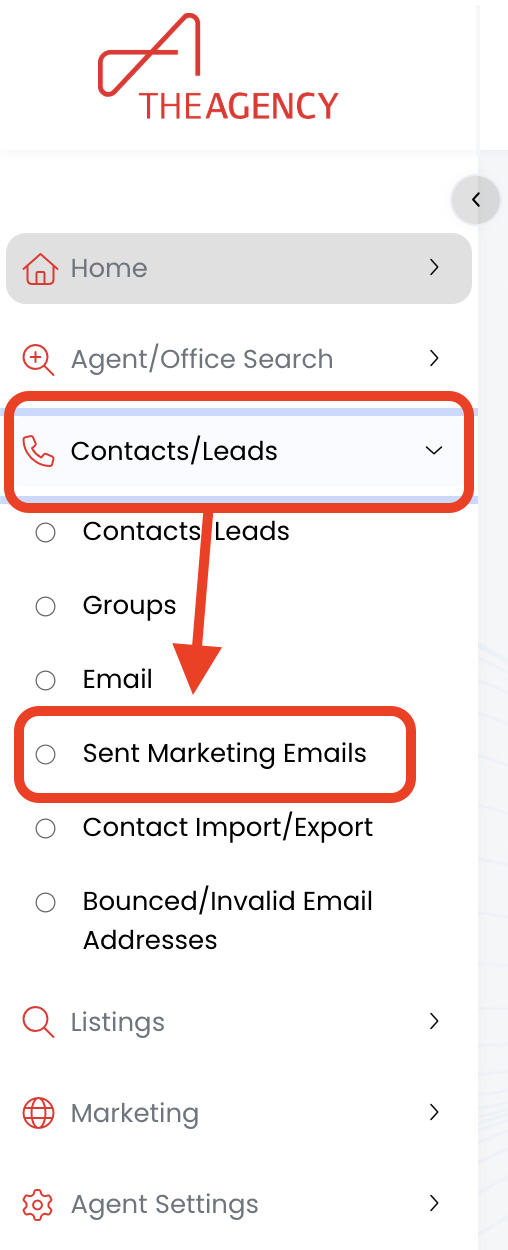
1.) Click on Contacts/Leads, then click on Sent Marketing Emails
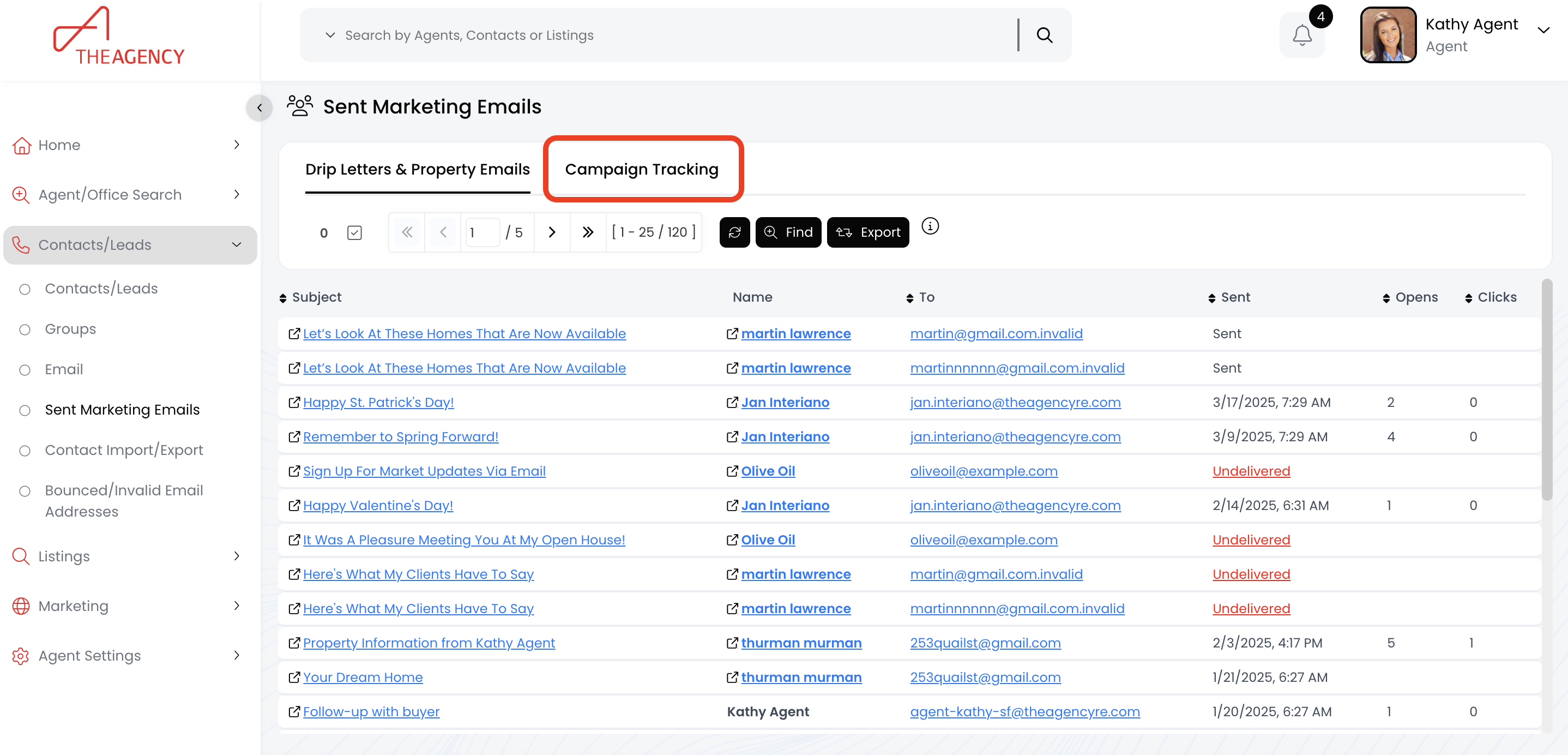
2.) Click on the Campaign Tracking tab
3.) Now you can view the metrics for each campaign within the columns!