Drip Campaigns: View All Emails Sent from APT

May 29, 2025
 5
5
You can find the metrics for all of your drip campaigns under the "Sent Marketing Emails" section, which holds two pages displaying different levels of metrics:
- Drip Letters & Property Emails: Displays metrics for the email sent to each contact
- Campaign Tracking: Displays the overall metrics for each drip campaign
📺 Click here to watch a video tutorial 📺
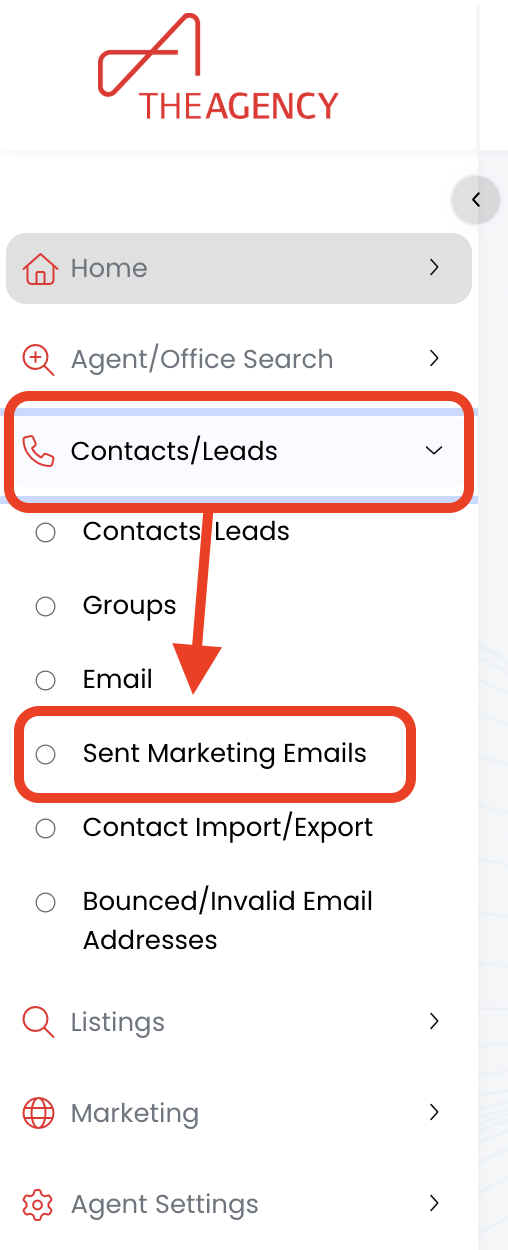
1.) Click on Contacts/Leads, then click on Sent Marketing Emails
2.) Click on the Drip Letters & Property Emails tab
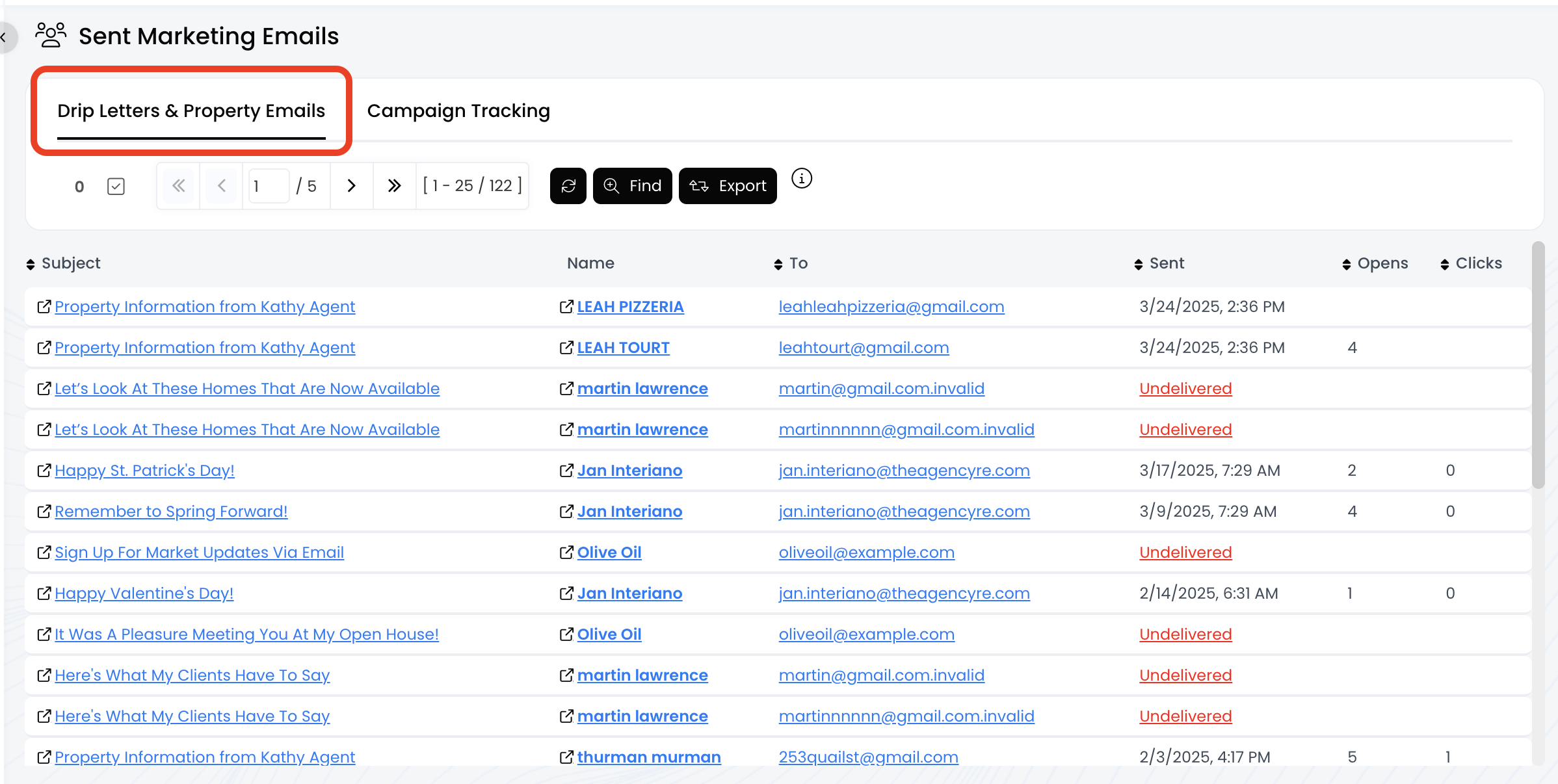
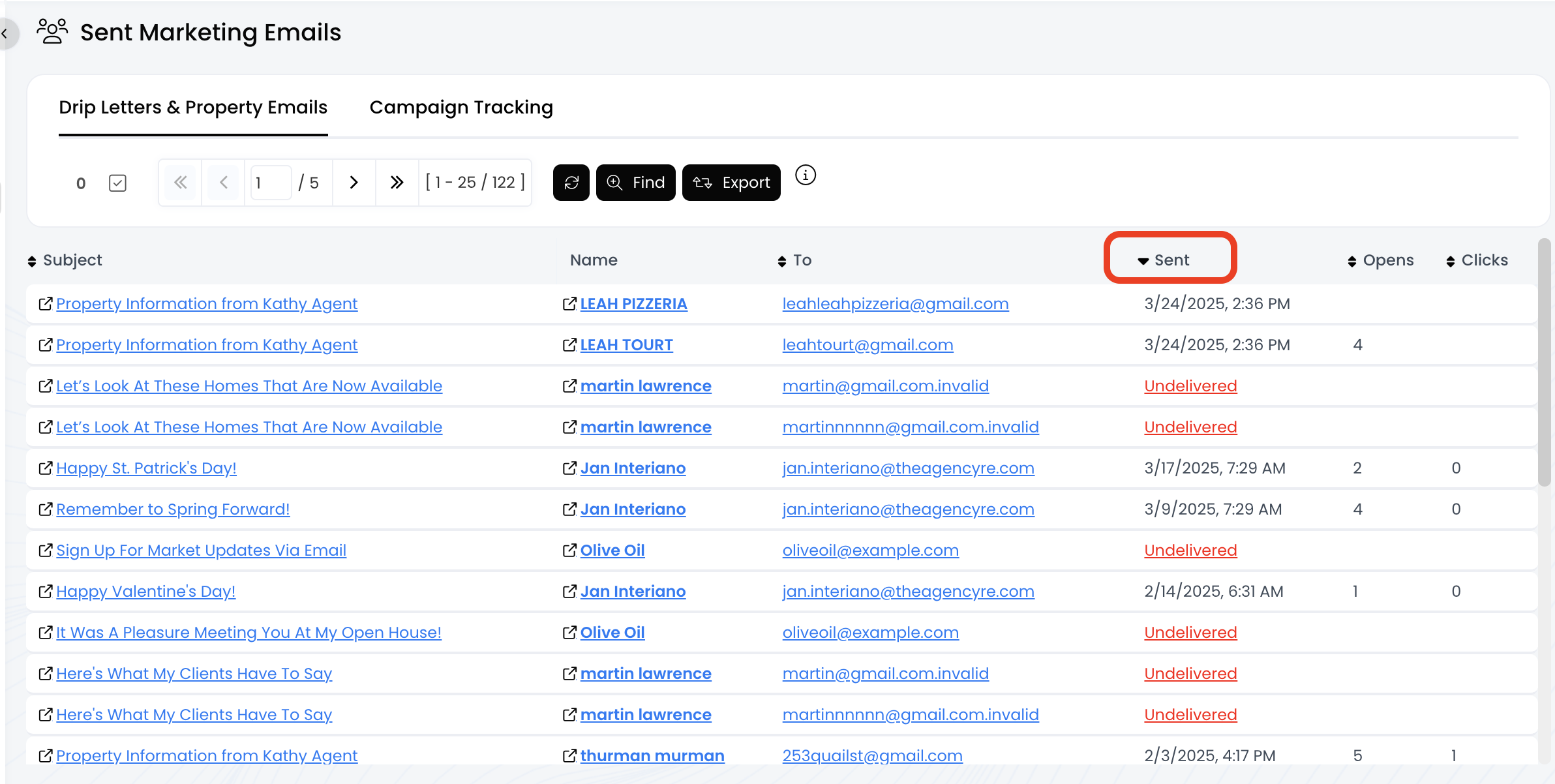
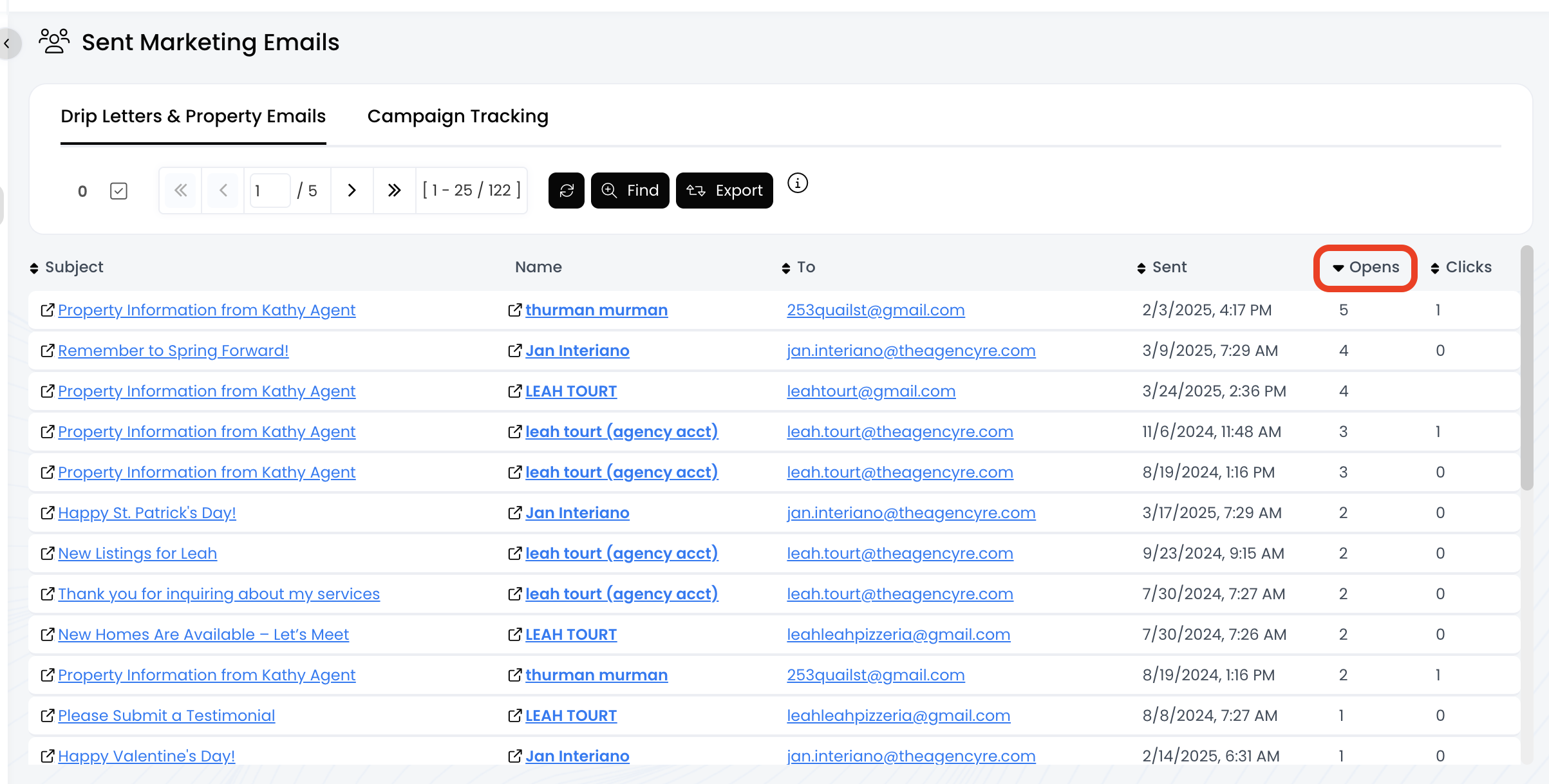
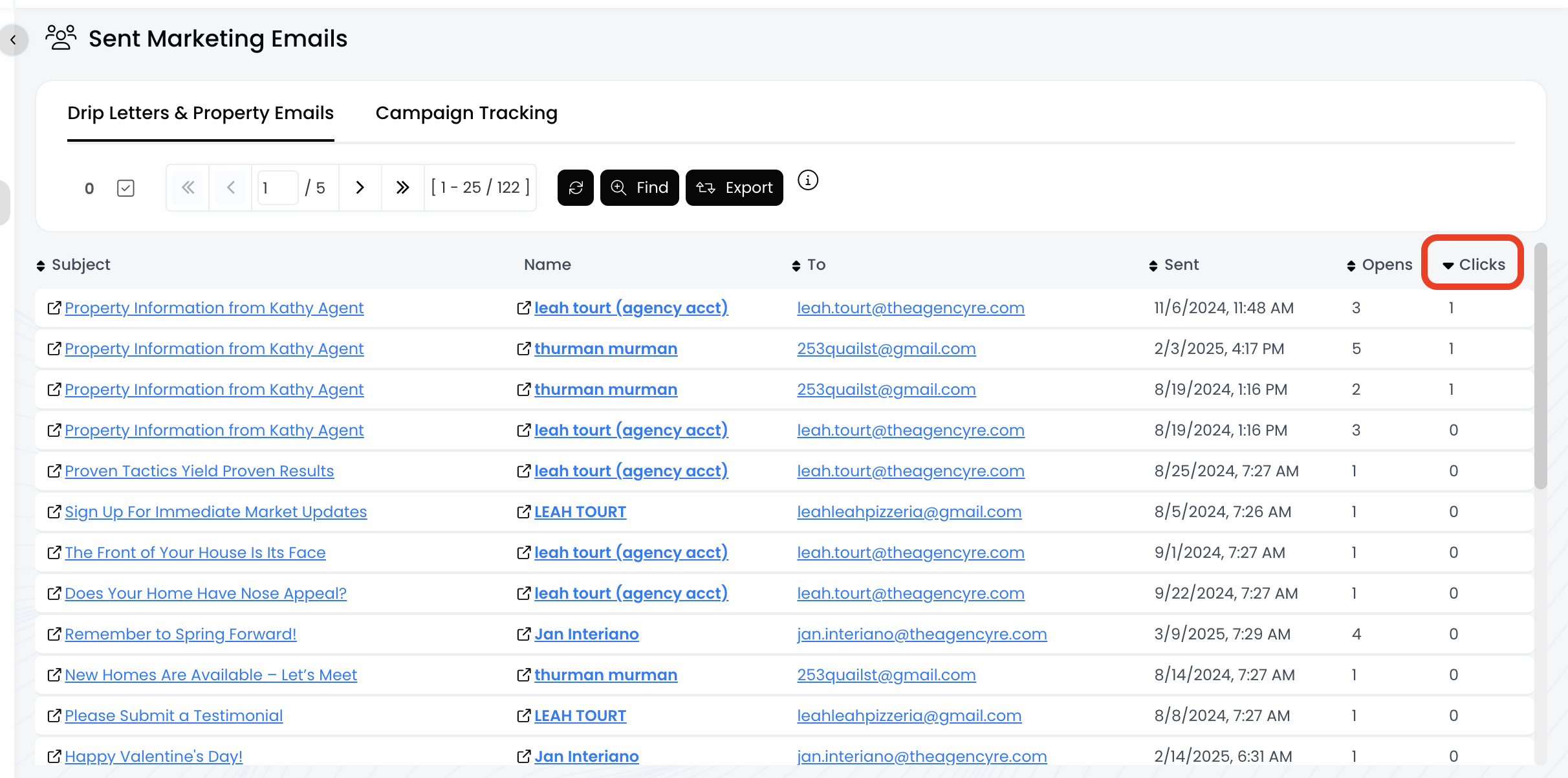
3.) Now you'll see a list of all the emails sent from your drip campaigns!
- Columns with a double arrow icon can be sorted, including To, Sent, Opens, and Clicks!
- Click on the column name to sort