0
0
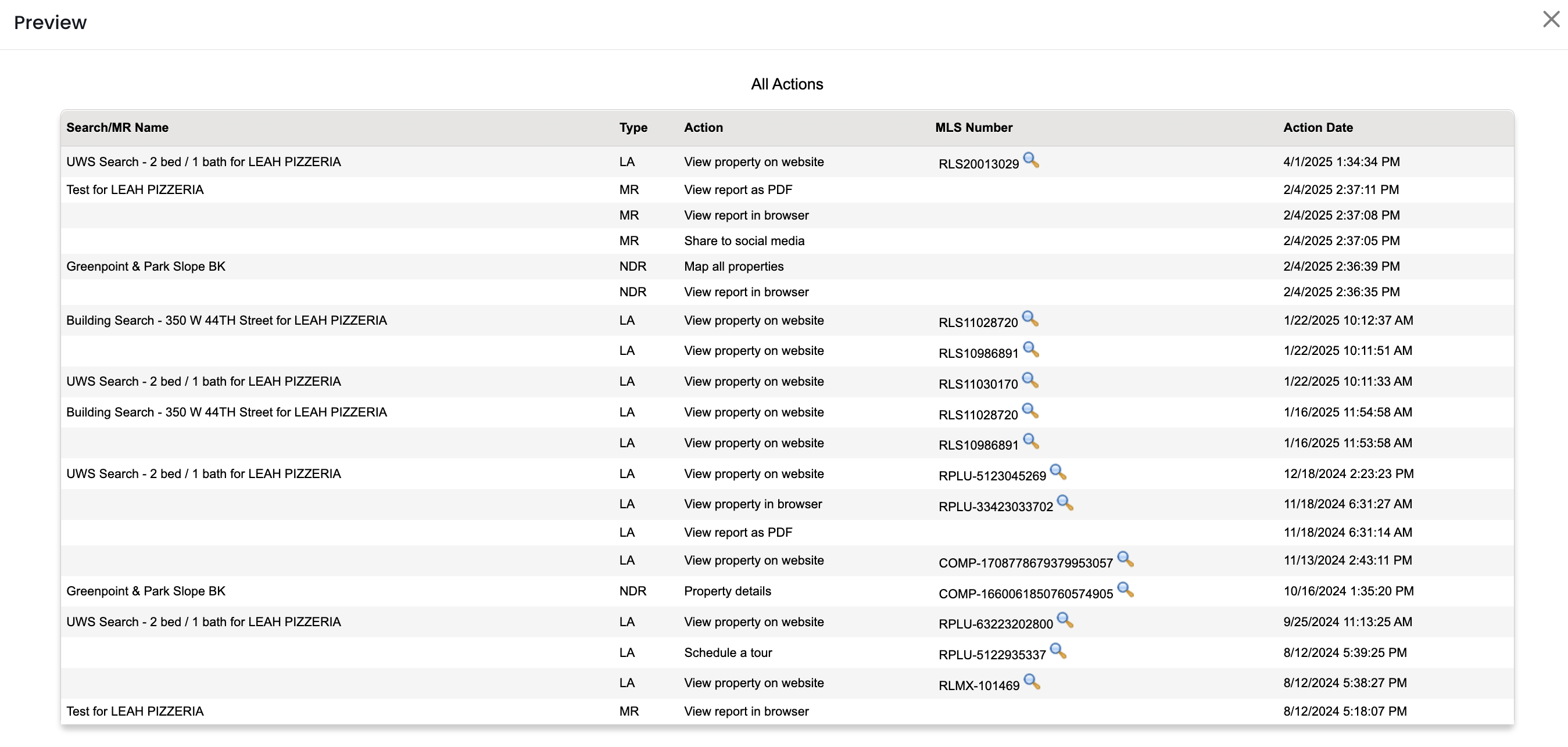
If you've created any reports for a contact, all of the metrics are compiled in APT for each report! This information can be found under the contact in the "Last Report Activity" section. If you don’t see any details in this section, this person has not opened any reports you’ve created for them.
To find these metrics for a specific contact:
1.) Click on the Contacts/Leads menu
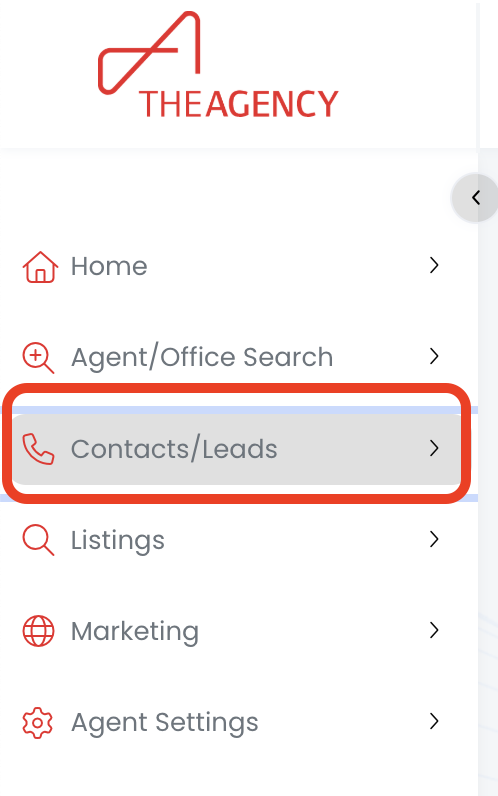
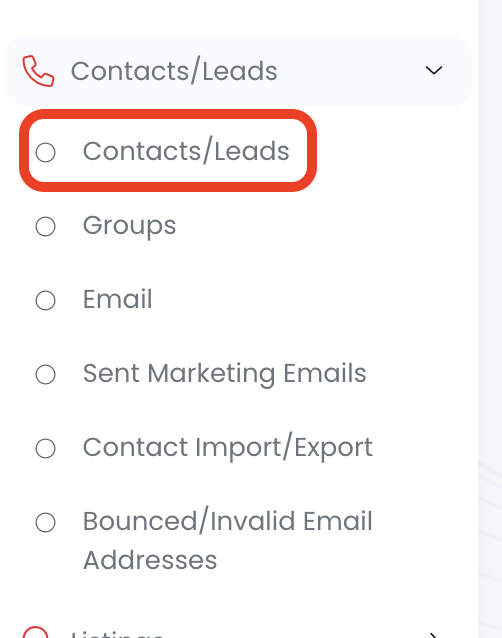
2.) Click on the Contacts/Leads option
3.) Click on the Find button
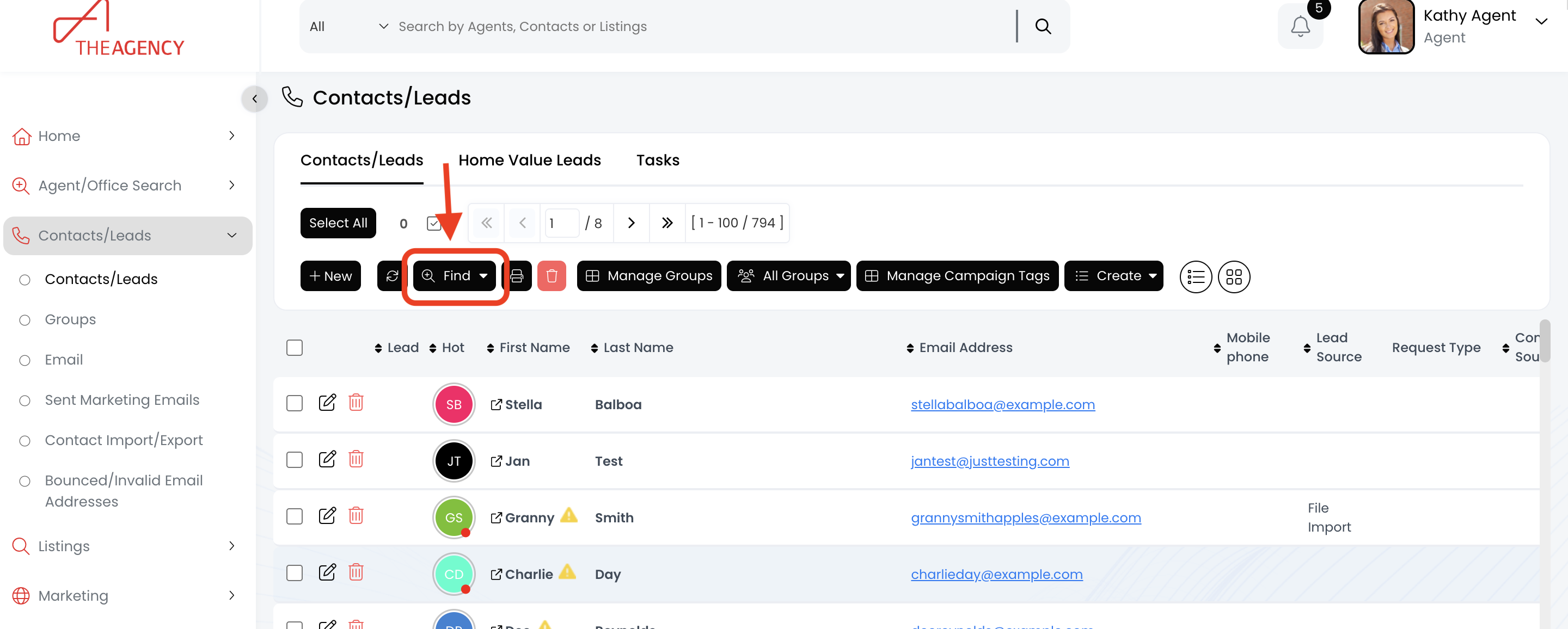
4.) Search for the contact using the first name, last name, or email fields and then hit Search
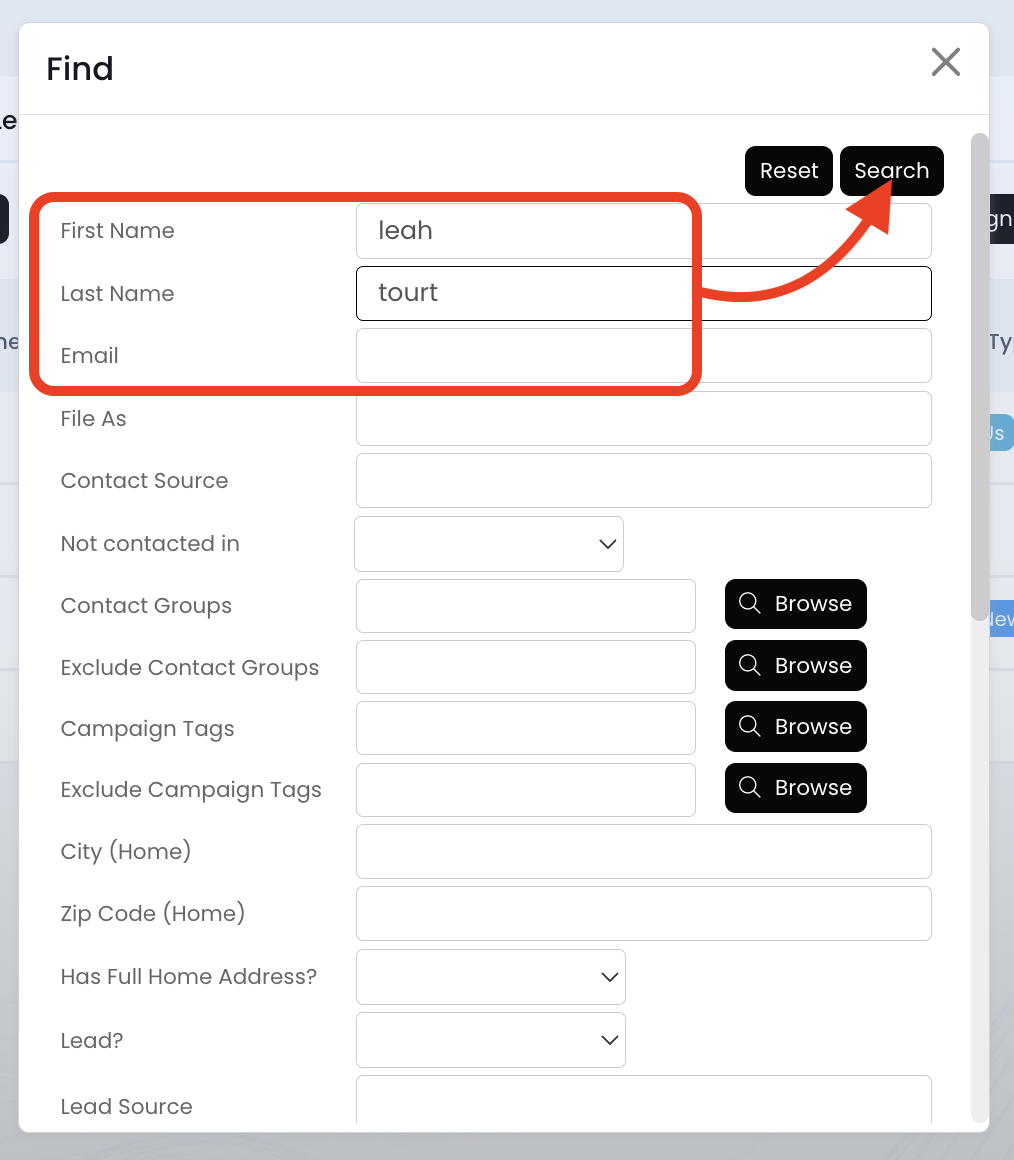
5.) Click on the contact's first name
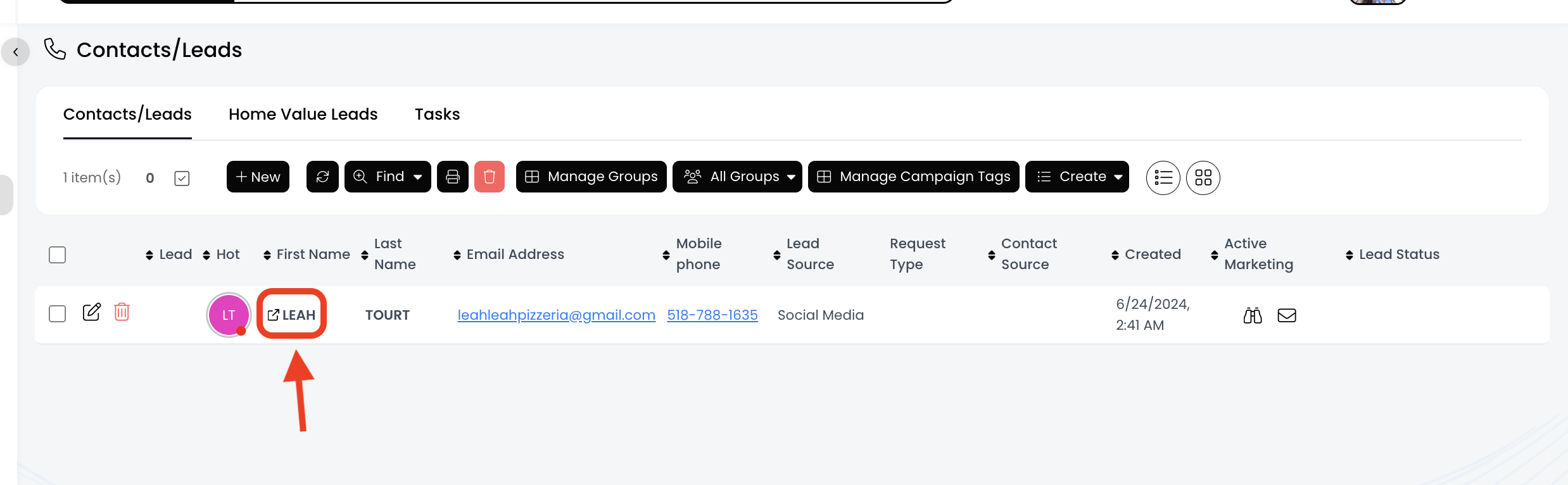
6.) Click on the Last Report Activity section
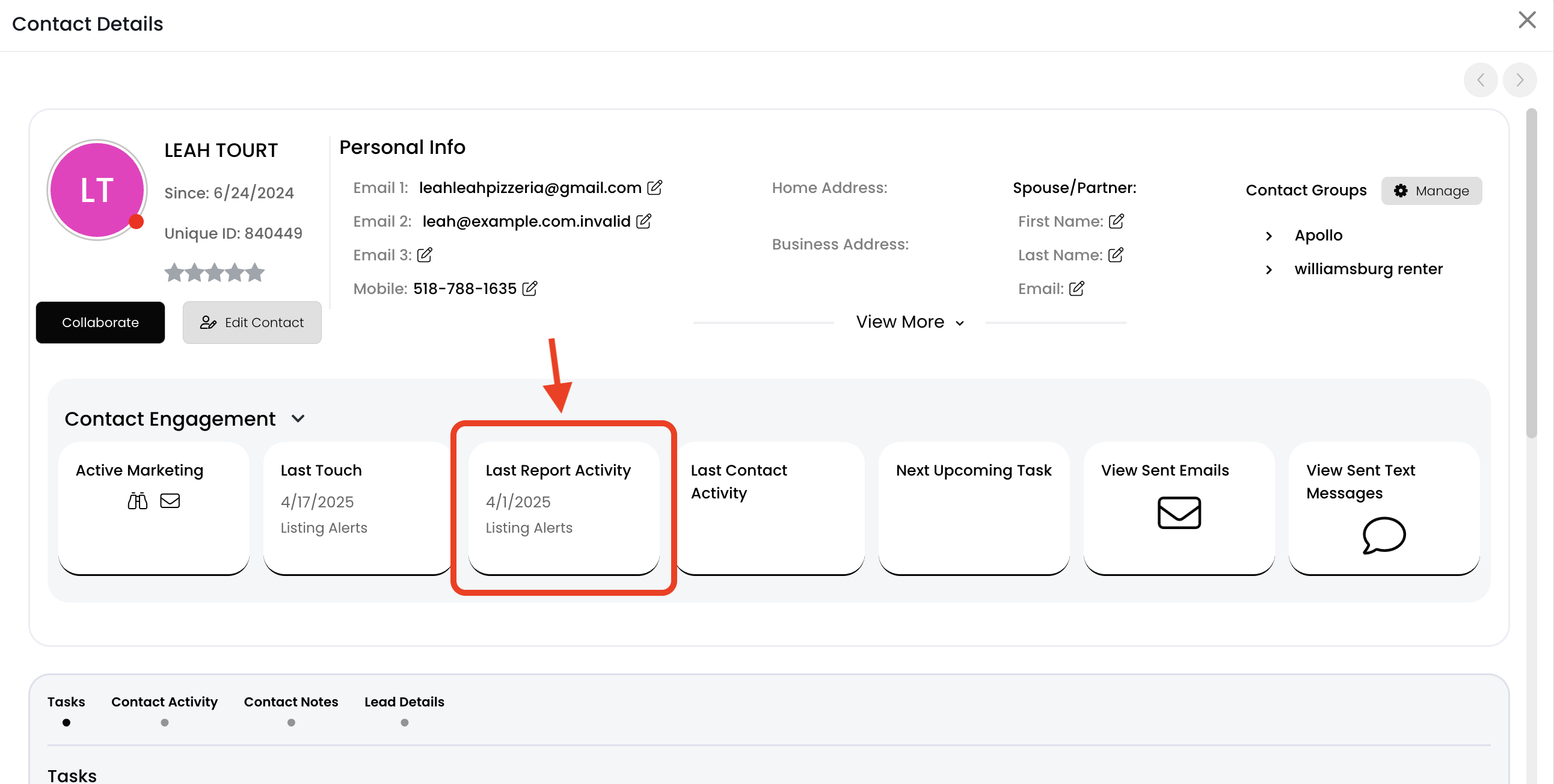
7.) Now you'll see all the reports this person has viewed/opened. You can click on the magnifying glass icon to view more information about the property.
- Search/MR Name: The report name specified when you first created the report.
- Type: Type of report.
- LA = Listing Alert
- MR = Market Report
- QMR = Quarterly Market Report
- NDR = Neighborhood Detail Report
- Action: Type of activity your contact completed.
- MLS Number: The MLS/Listing ID Number for the property associated with the activity.
- Action Date: The date and time your contact completed this activity.