



 5
5
Use the "Display Address" field to manage the address visibility on the website. Set the field to "no" to hide the address, and the words "Address Undisclosed" will be displayed instead.
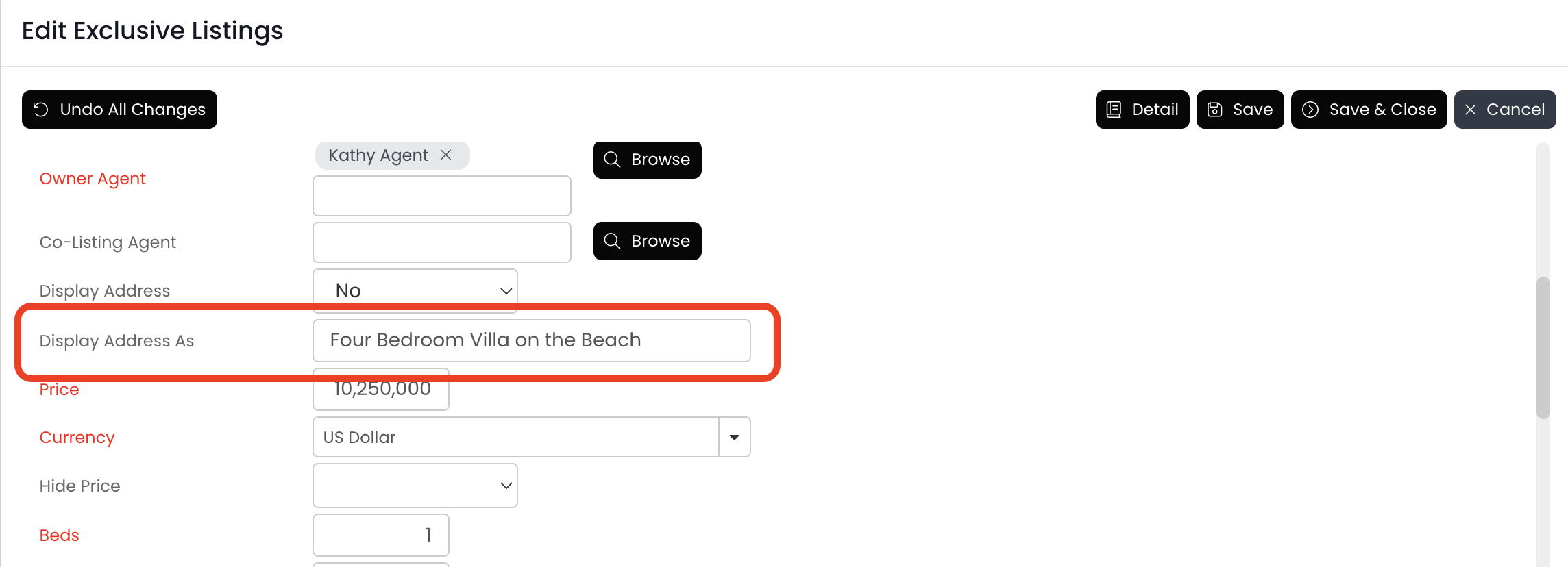
If you prefer to display something else, add your custom text into the "Display Address As" field.
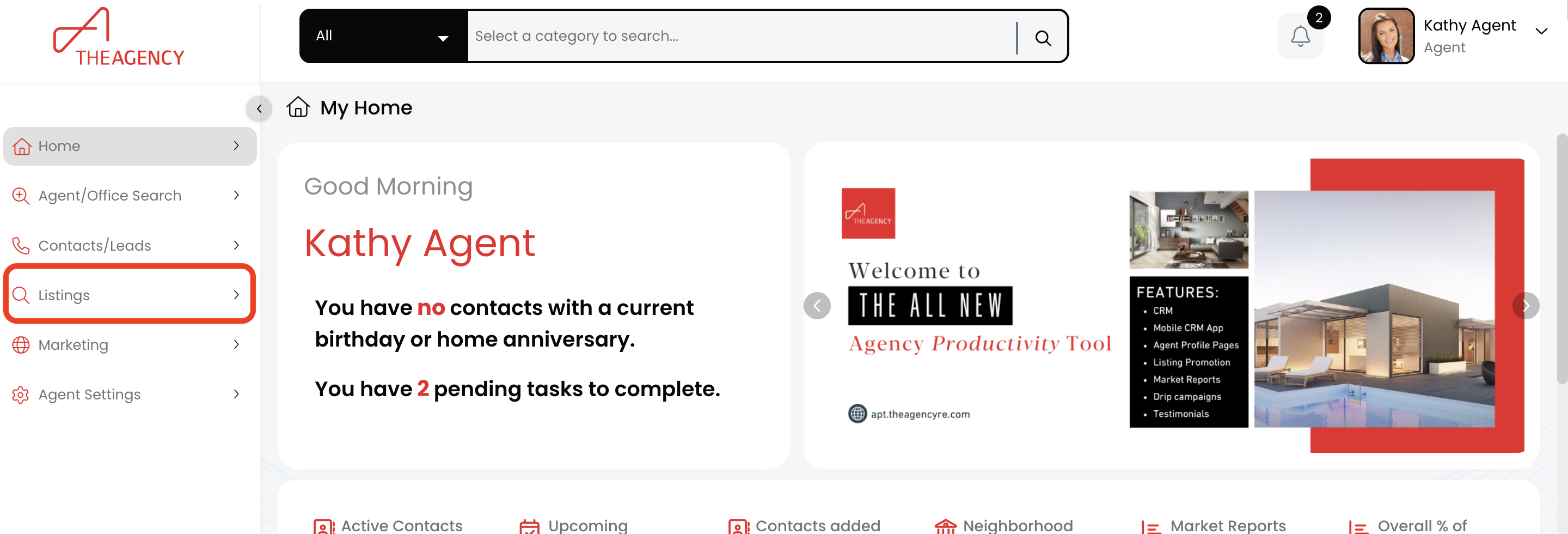
1.) Click on the Listings menu
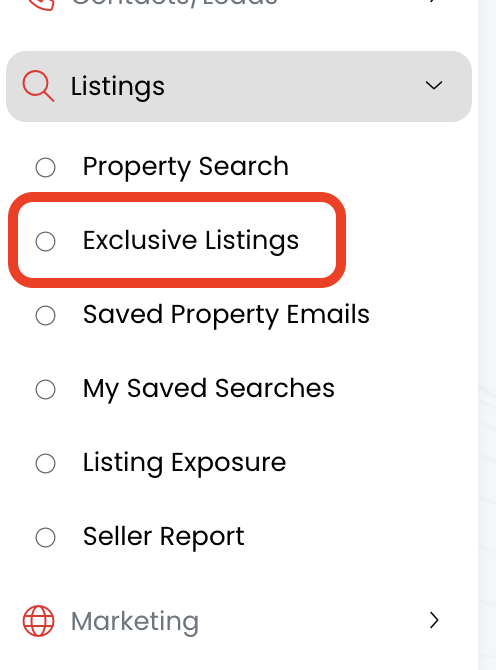
2.) Click on the Exclusive Listings option
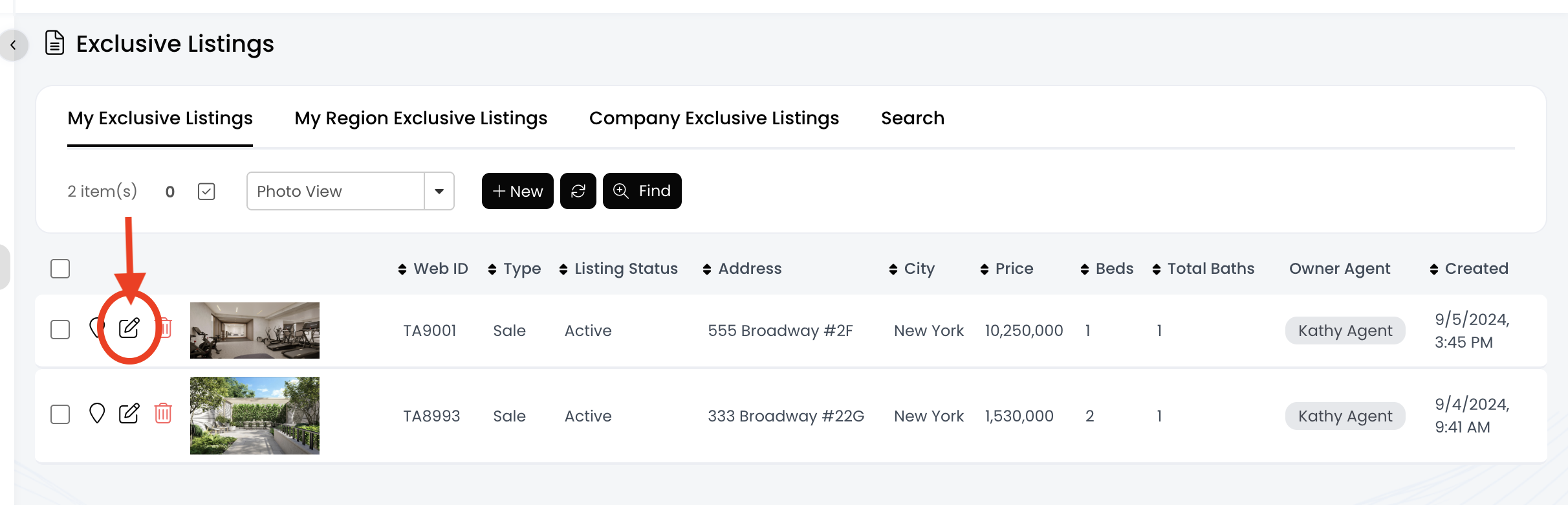
3.) Find the listing and click on the pencil icon
4.) Change the "Display Address" field to "no"
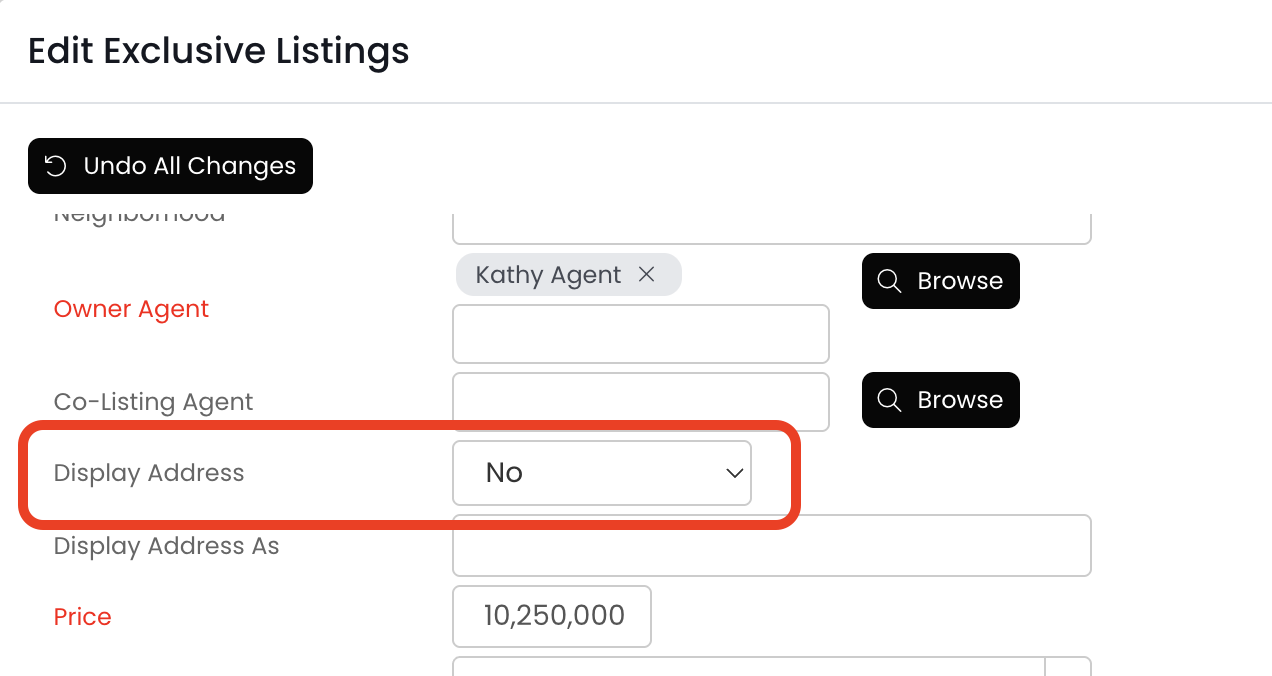
5.) By default, the listing address will say "Address Undisclosed." Do you want to display something else instead?
- YES: Add the desired text into the "Display Address As" field
- NO: Skip this step
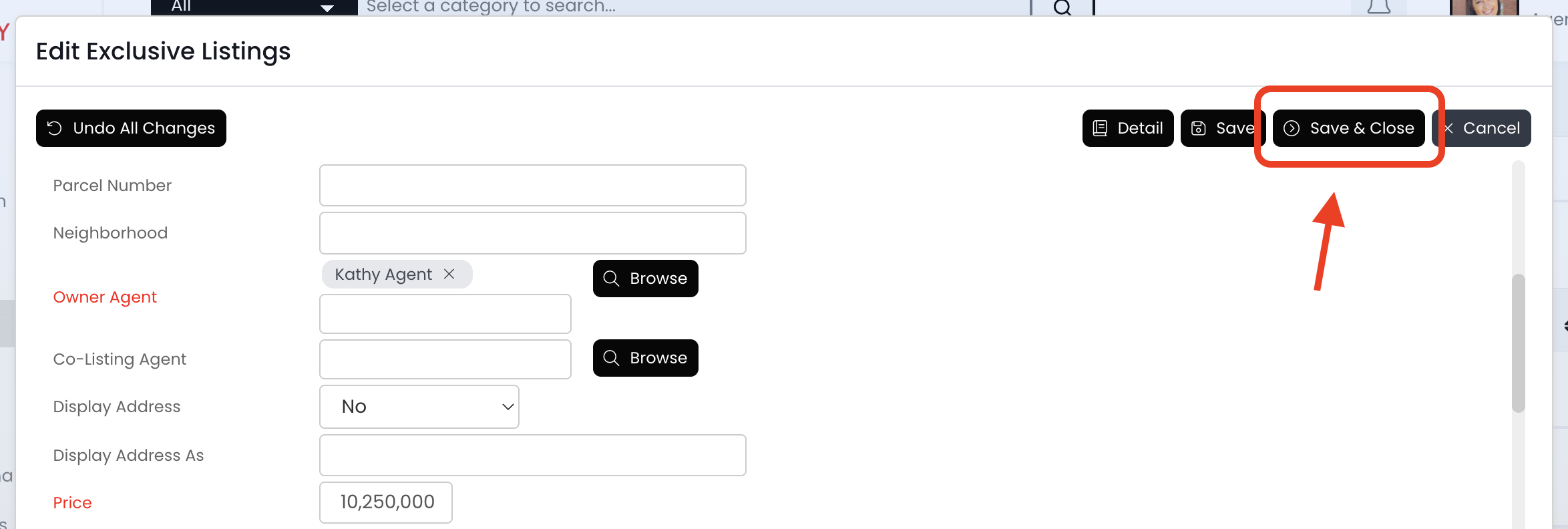
6.) Click on the Save & Close button
7.) Now the listing address has been hidden!

