
You are using an unsupported browser. Please update your browser to the latest version on or before July 31, 2020.
close
You are viewing the article in preview mode. It is not live at the moment.
Home > APP AND WEBSITE SUPPORT > APT > APT LISTINGS & TRANSACTIONS > Edit the Description on an Exclusive Listing
Edit the Description on an Exclusive Listing
print icon

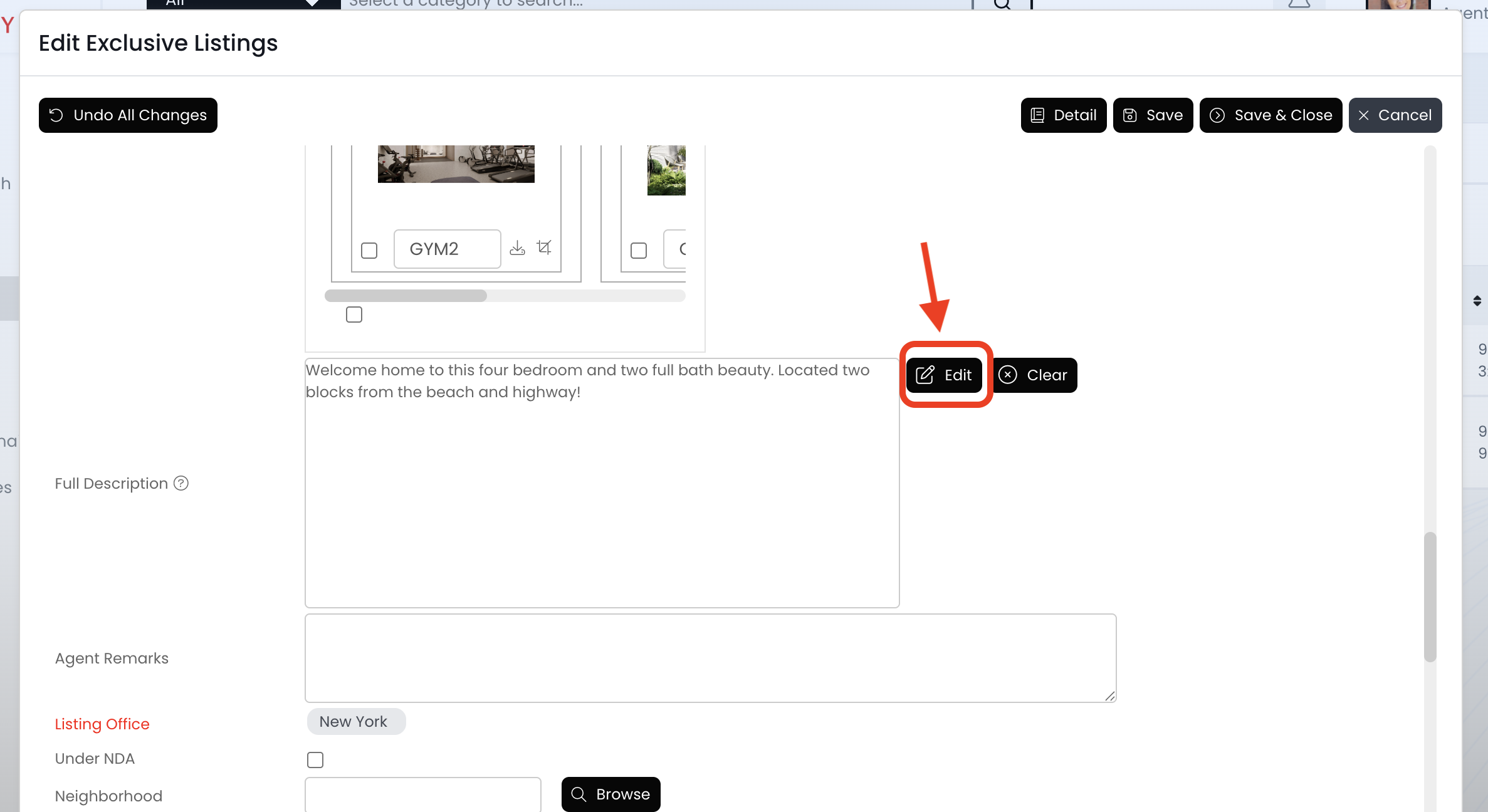
Use the "Full Description" field to manage the listing description on the website.


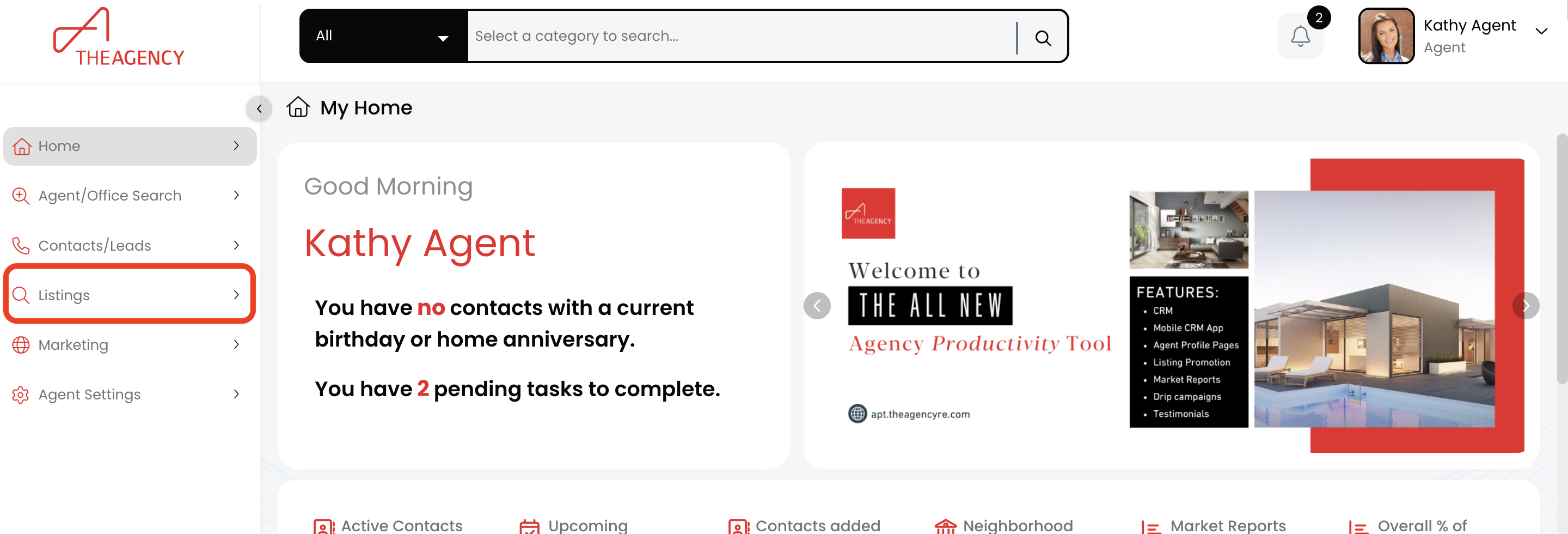
1.) Click on the Listings menu


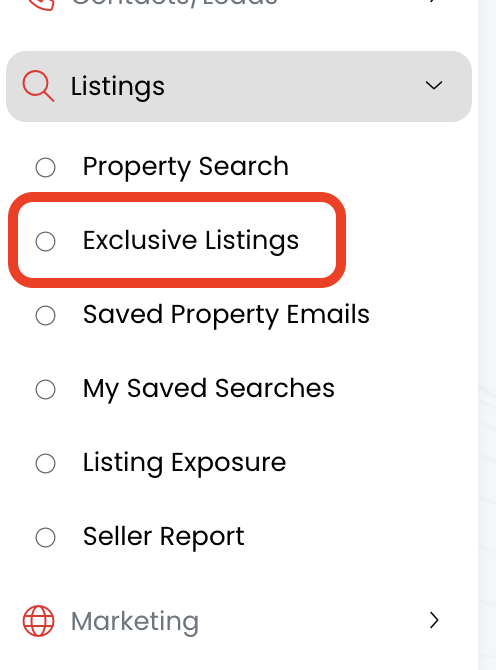
2.) Click on the Exclusive Listings option


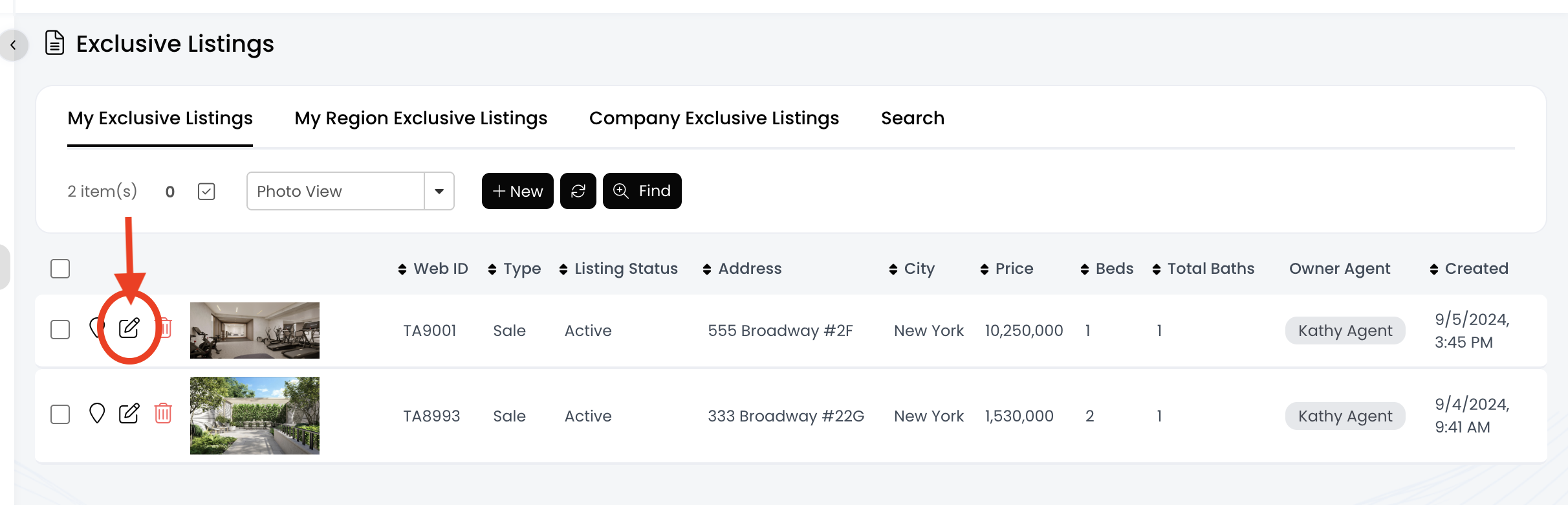
3.) Find the listing and click on the pencil icon


4.) Find the "Full Description" field and click the edit button


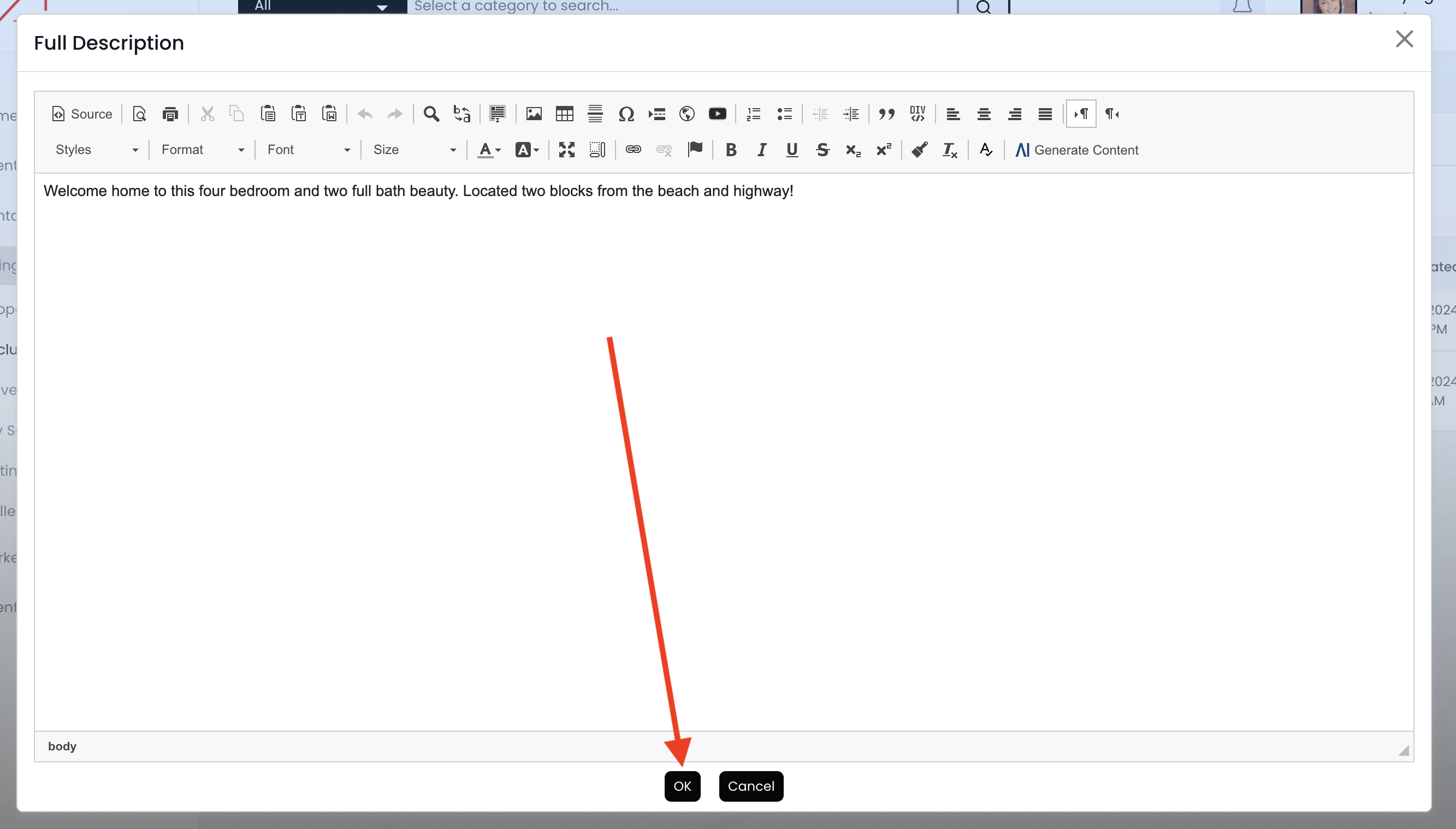
5.) Make your edits, and then click on the OK button


6.) Click on the Save & Close button
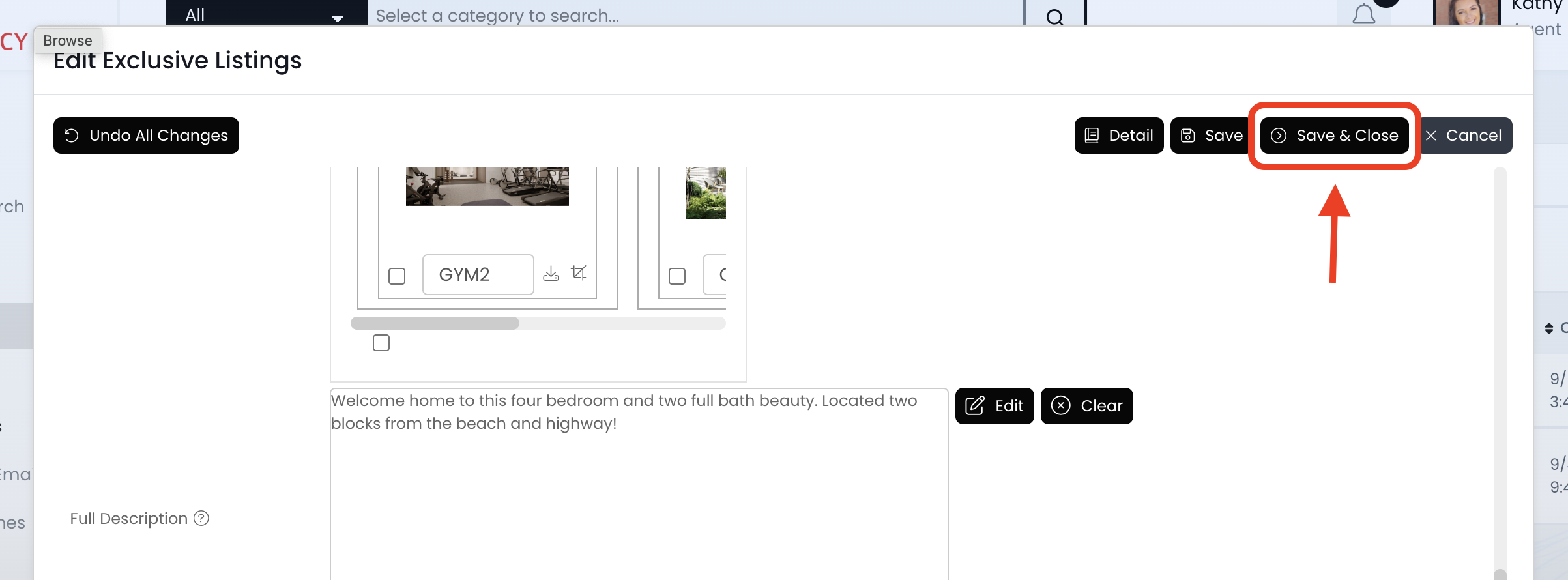


7.) Now the description updates will transfer to the website within the next 30 minutes or less! 


Feedback
0 out of 0 found this helpful

scroll to top icon