


Filters: View Only Leads

May 29, 2025
 27
27
Your contact list in APT consists of 2 types: Contacts and Leads. If you want to see just your leads, you can use the "Lead" filter under the Find feature.
📺 Click here to watch the video tutorial 📺
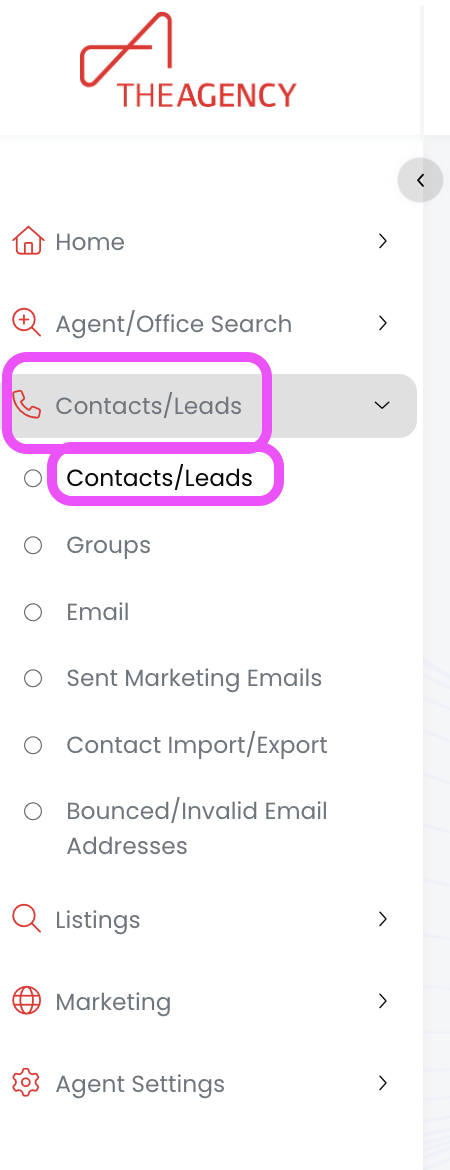
1.) From the left side menu, click on Contacts/Leads, and then click on Contacts/Leads again
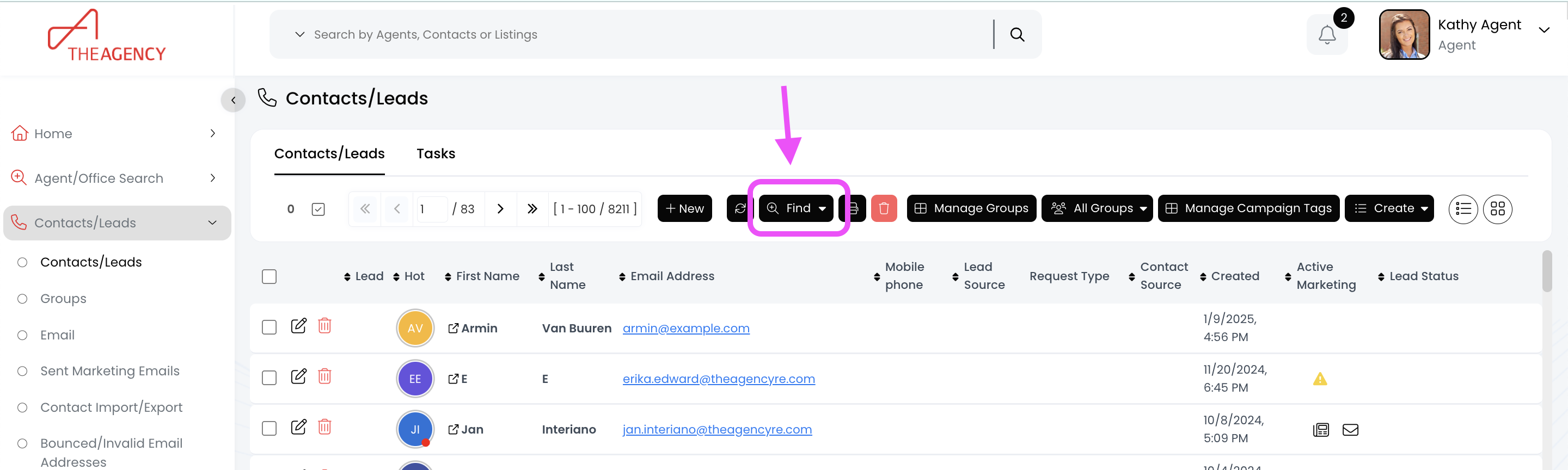
2.) Click on the Find button (top middle)
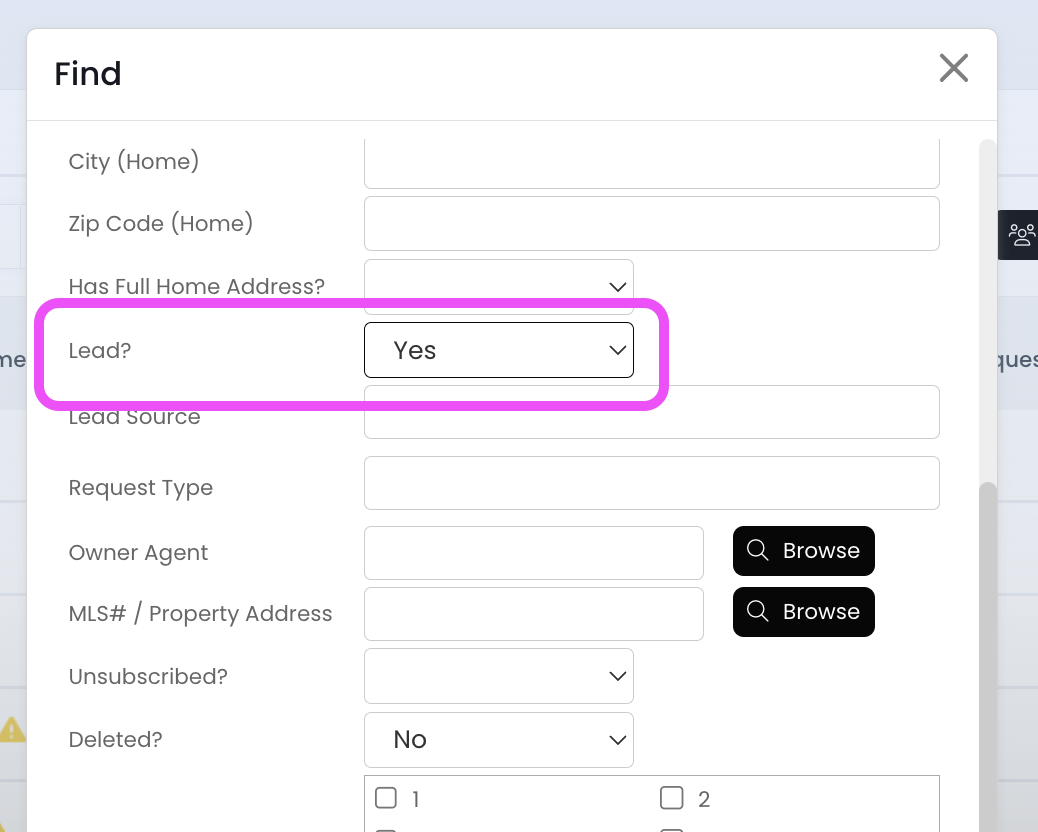
3.) Scroll down to the "Lead?" field and change it to Yes
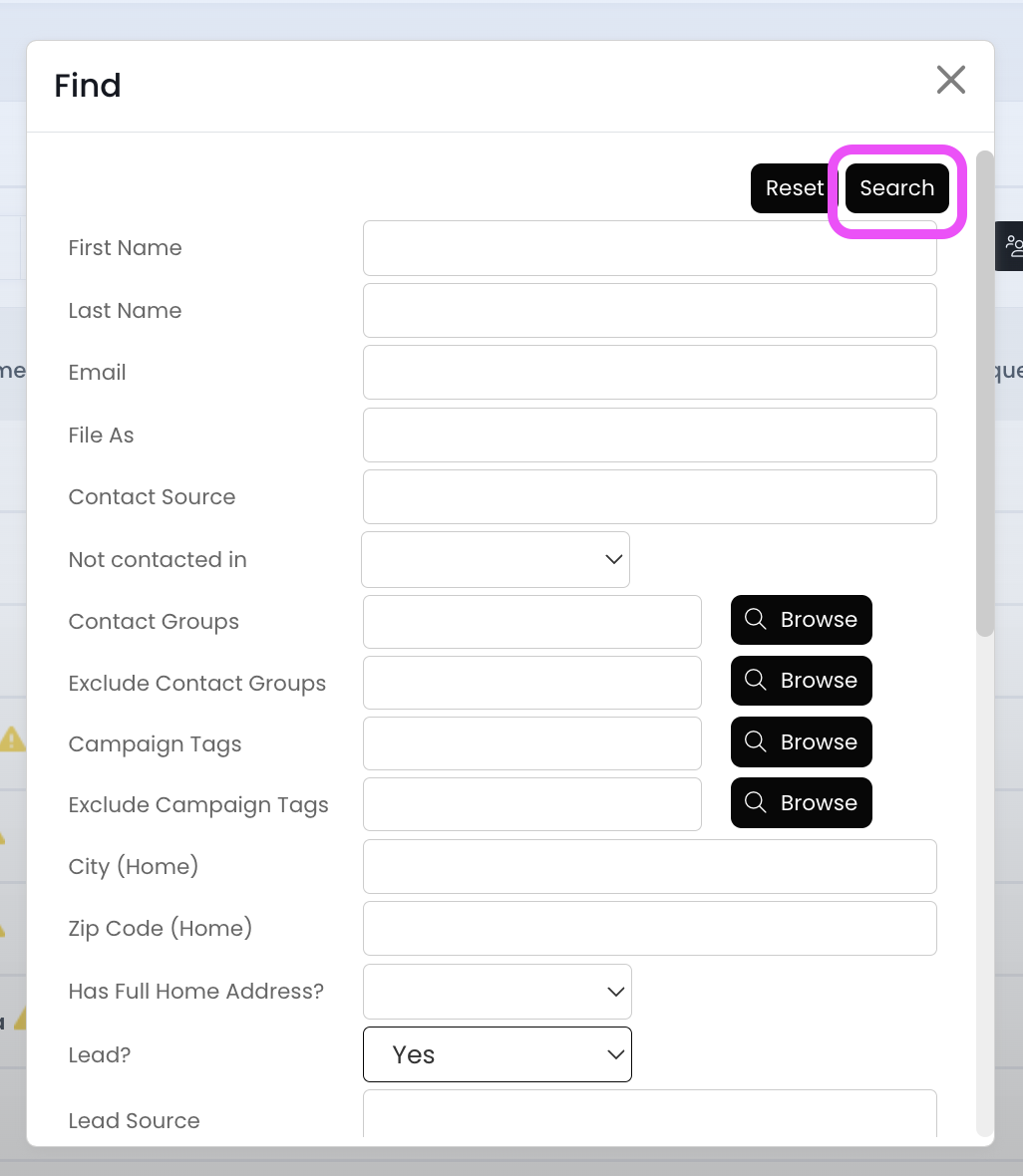
4.). Scroll to the top and click on the Search button
Now your APT is displaying just your leads! (No contacts are included in this view)

