
Groups: View Contacts in a Group
Last updated: May 29, 2025
13
views

Use the "All Groups" button to view a group of contacts.
📺 Click here to watch the video tutorial 📺
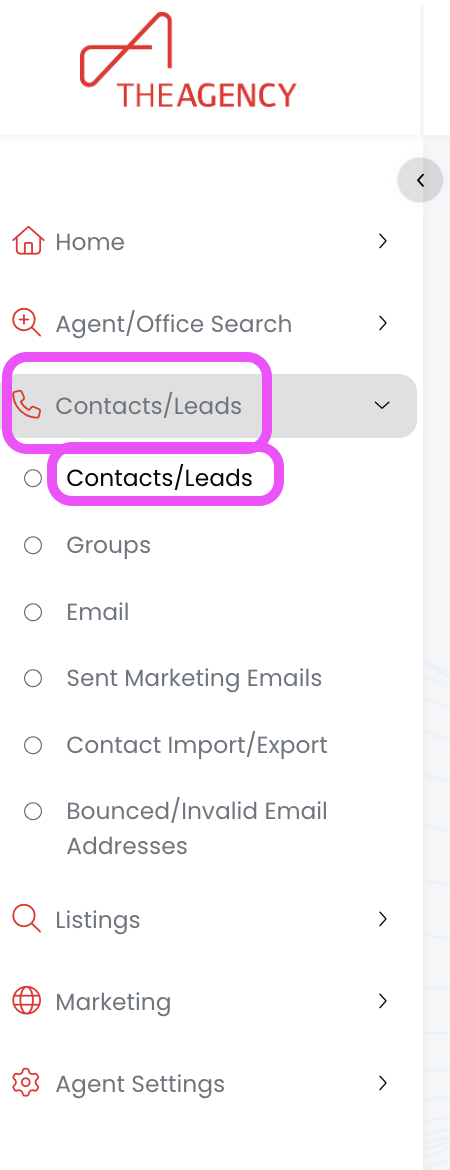
1.) From the left side menu, click on Contacts/Leads, and then click on Contacts/Leads again
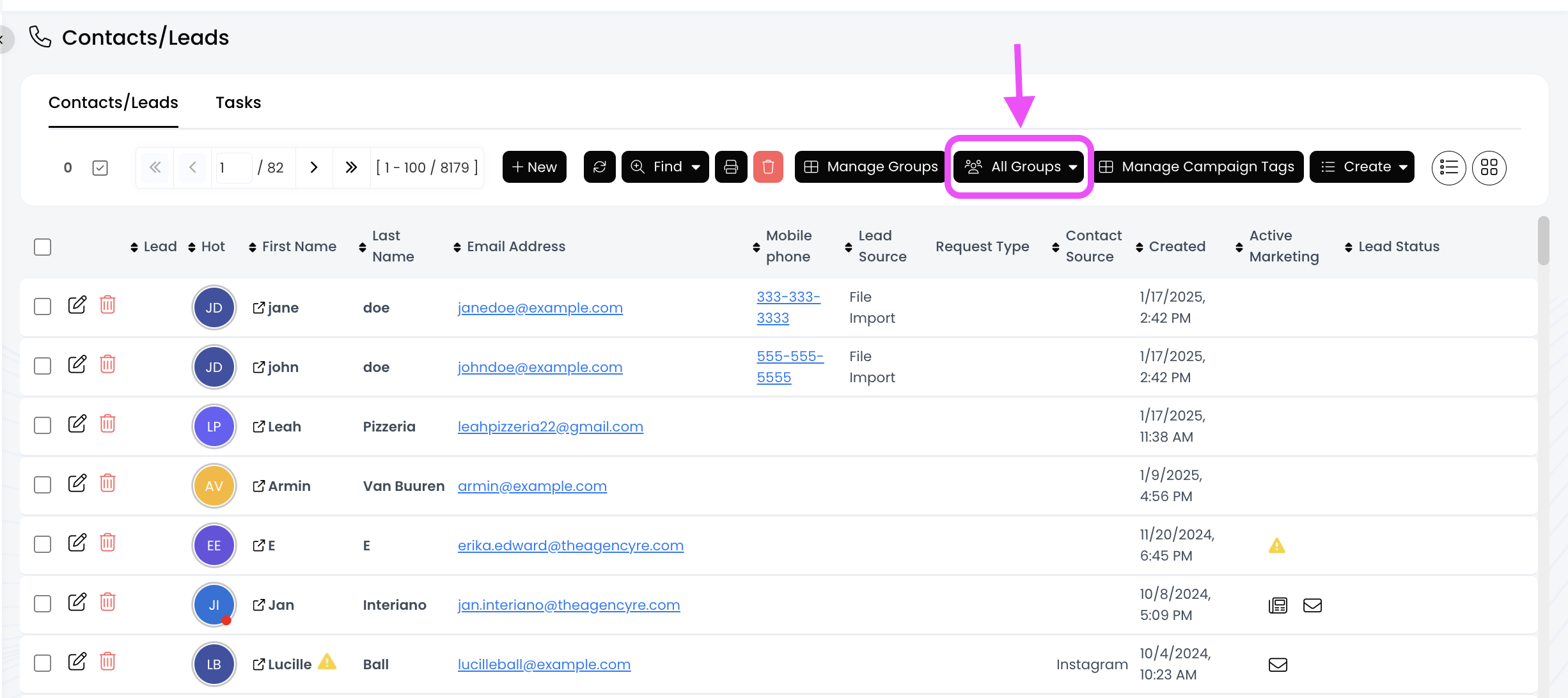
2.) Click on the All Groups button to expand all the group options
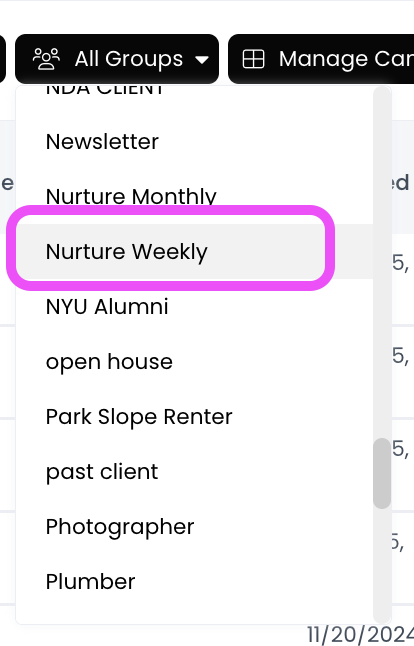
3.) Click on the group you want to view
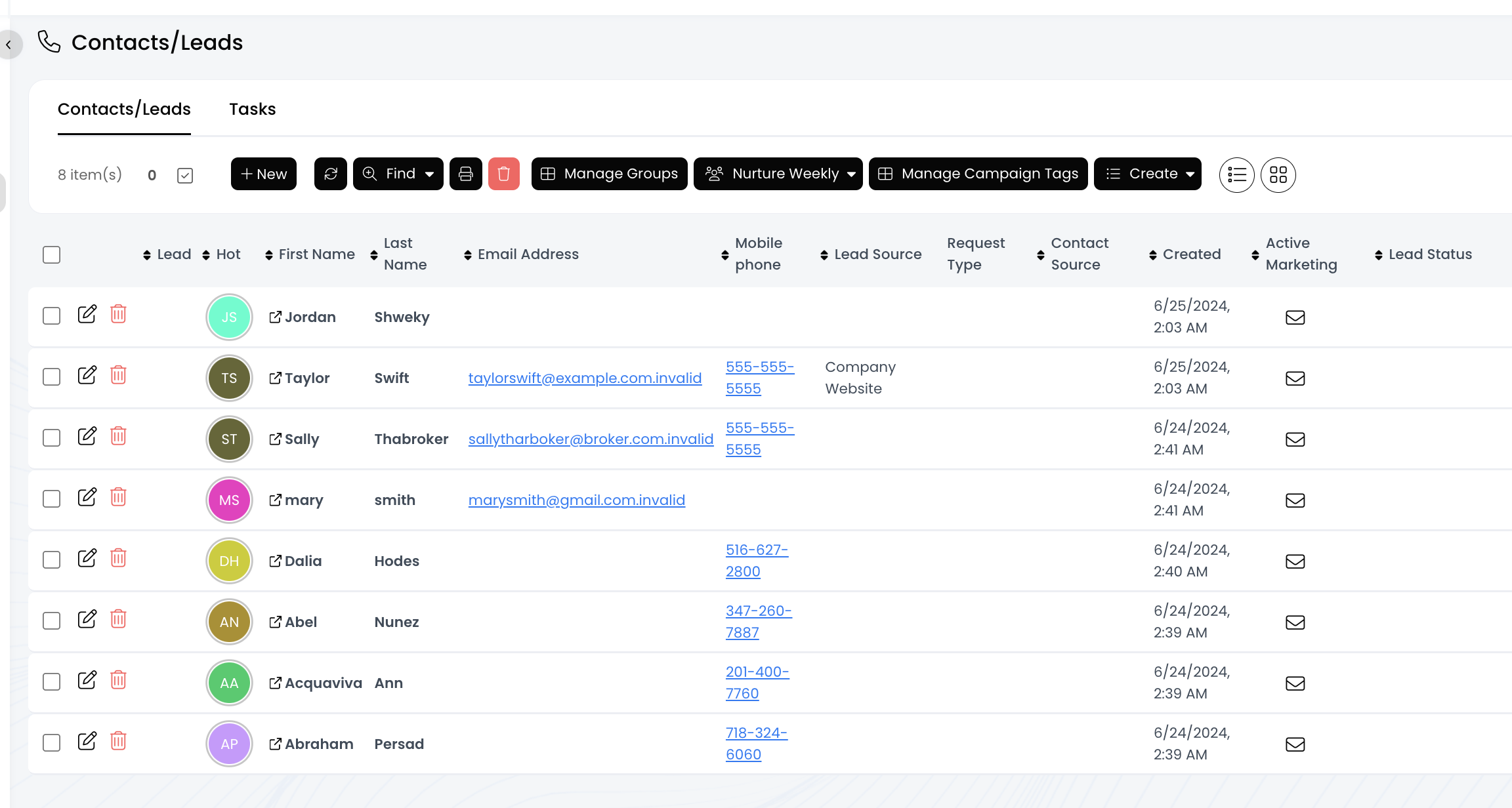
4.) Now you're viewing all the contacts in this group!