


Listings: Add Additional Agents to a Listing

May 01, 2025
 142
142
Most MLSs only send two agents per listing. To add more agents, you must either:
- Be one of the listed agents, or
- Have a role like staff, office manager, or admin.
You’ll also need the listing’s MLS number. The MLS# may be slightly different depending on which listings were removed from the website during the deduping process.
How to Add Additional Agents:
1. Find the MLS Number:
- Search for the listing on the website (use the search bar or agent's page).
- Copy the MLS number.
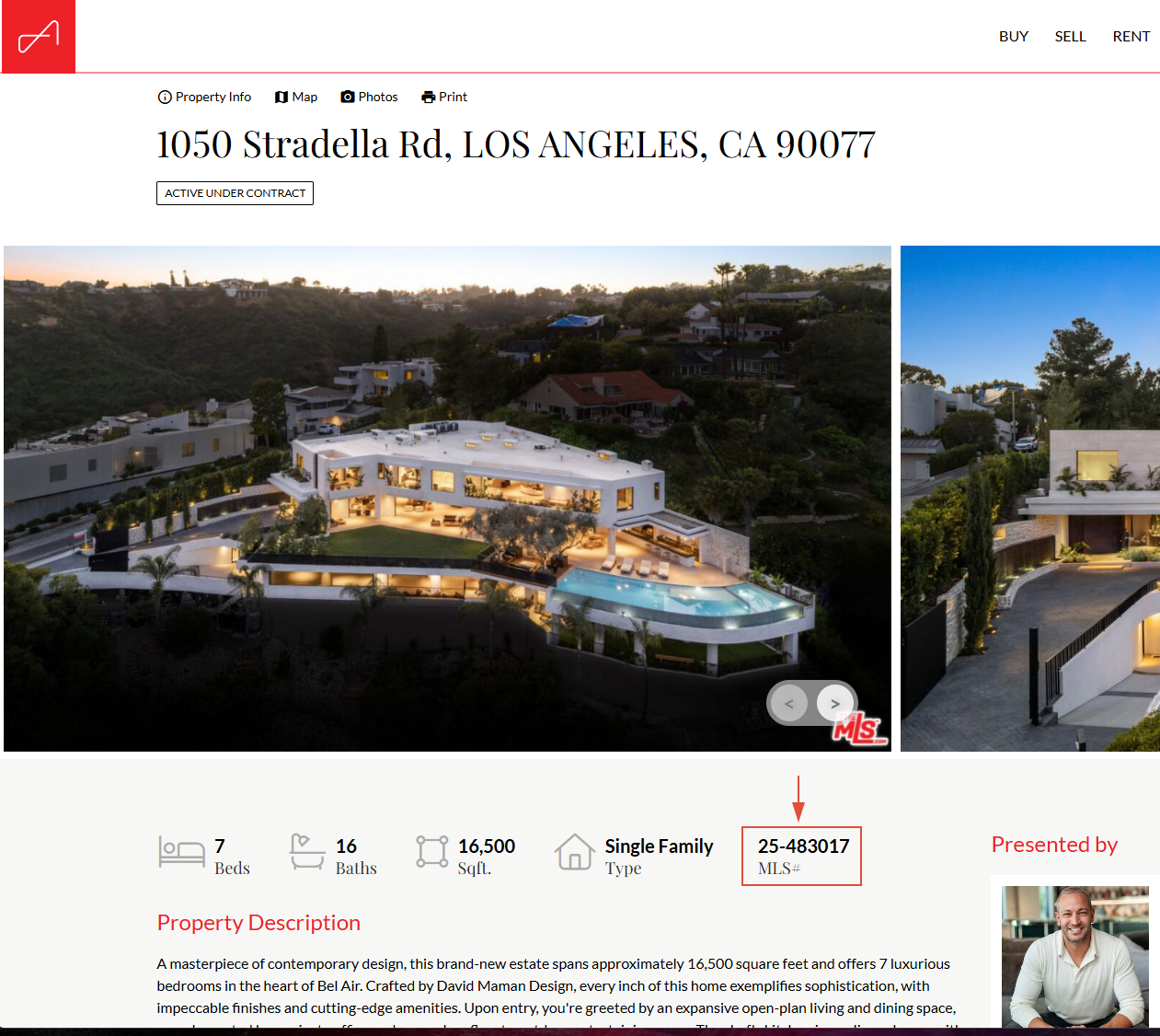
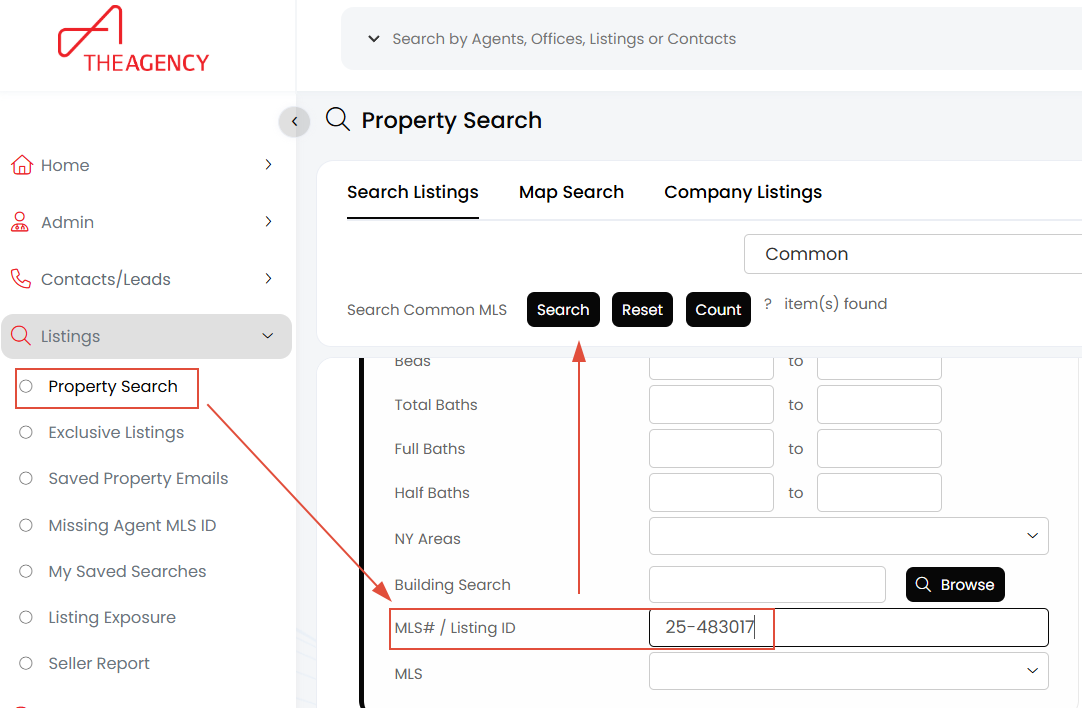
2. Search for the Listing in APT:
- Go to APT → Listings → Property Search.
- Scroll down the to Quick Search section and paste the MLS number into the MLS#/Listing ID field and click Search.
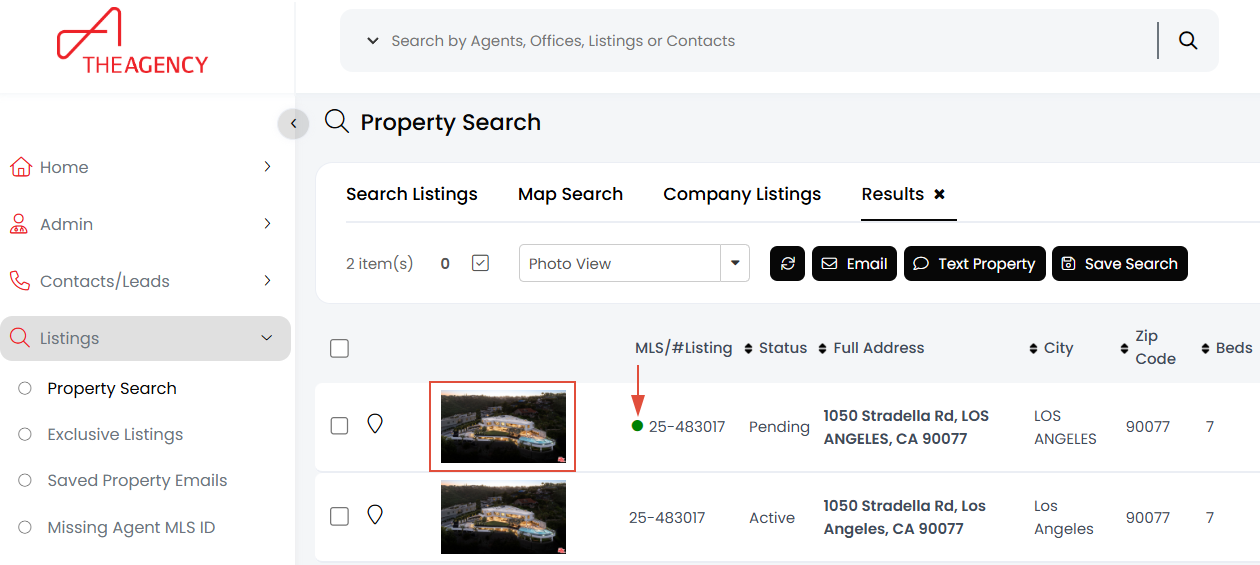
3. Select the correct listing in the results:
- Look for the listing with a green dot in the results.
4. Add Agents:
- Click the listing image thumbnail, go to the Additional Property Info tab, and add agents under Additional Agents.
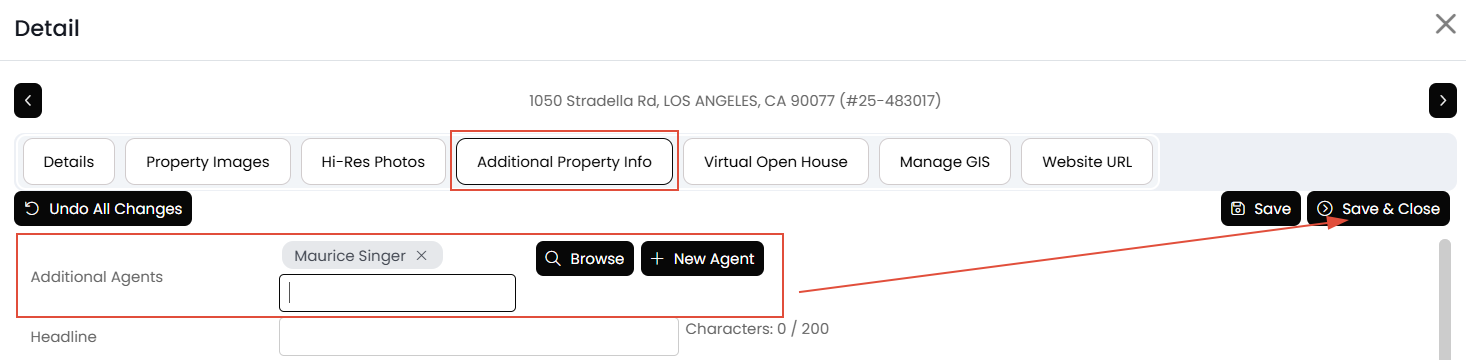
5. Save:
- Click Save & Close to apply your changes. Your changes should reflect on the website within 15 minutes.

