


Agent Profiles: Add MLS ID (For Staff)

May 28, 2025
 188
188
To ensure an agent’s listings appear on their agent page on TheAgencyRE.com, their MLS must be added to their APT profile.
Steps to Add an MLS to an Agent’s Profile
1. Sign into APT with a Staff, Office Manager, or Admin role.
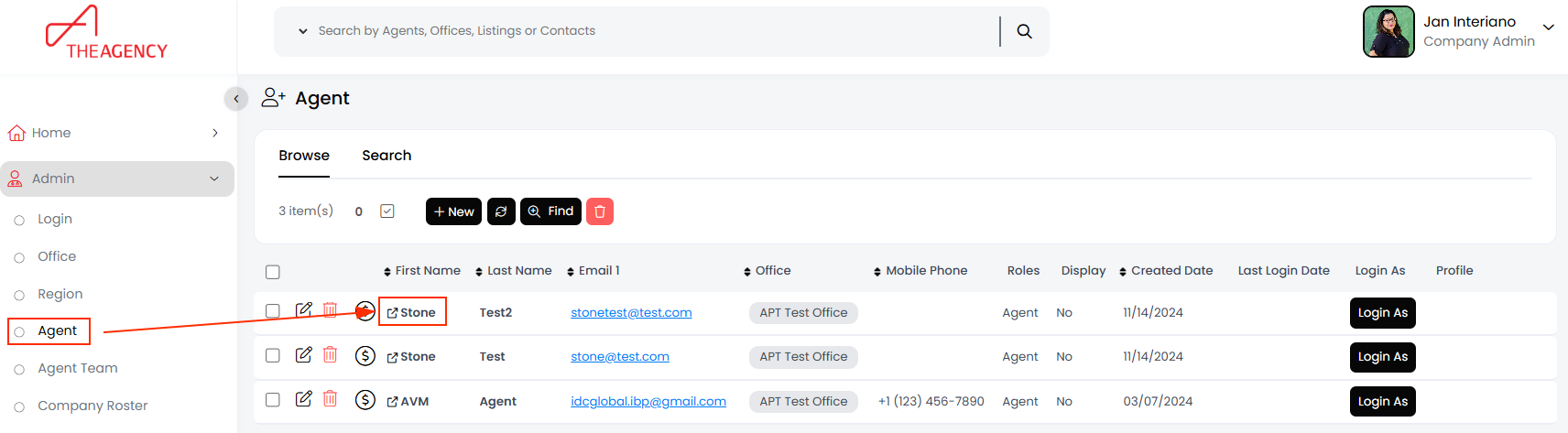
2. In the left-hand menu, click Agent.
3. Click on the agent’s first name (This step is crucial. Clicking the edit pencil opens a different window).
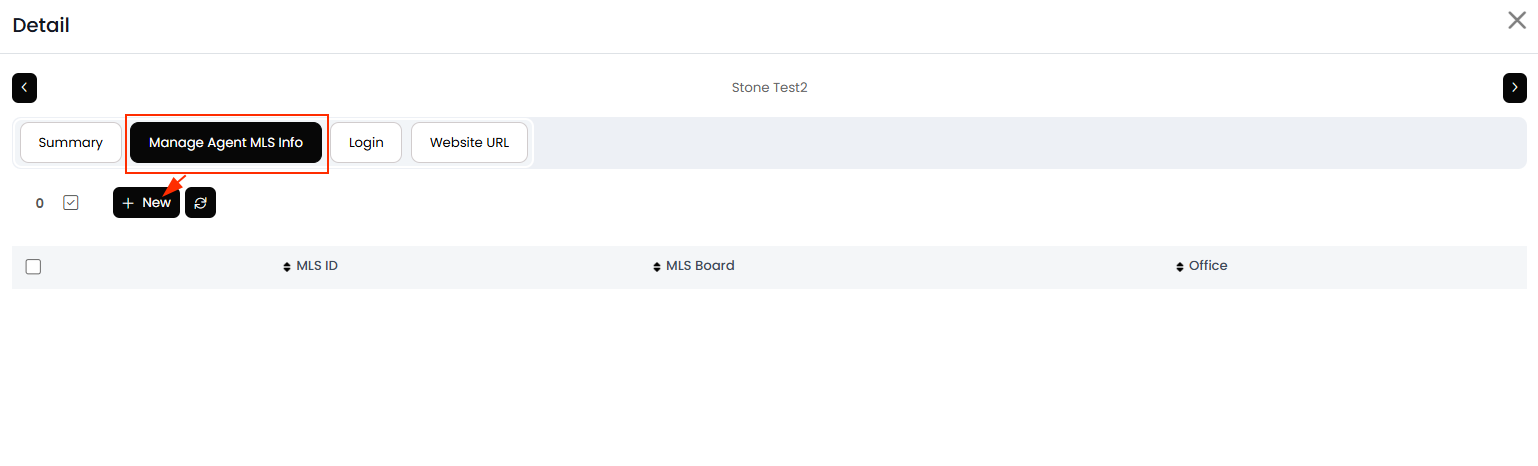
4. In the new window, navigate to the MLS ID tab and click NEW.
5. Select the agent’s MLS from the list and enter their MLS ID.
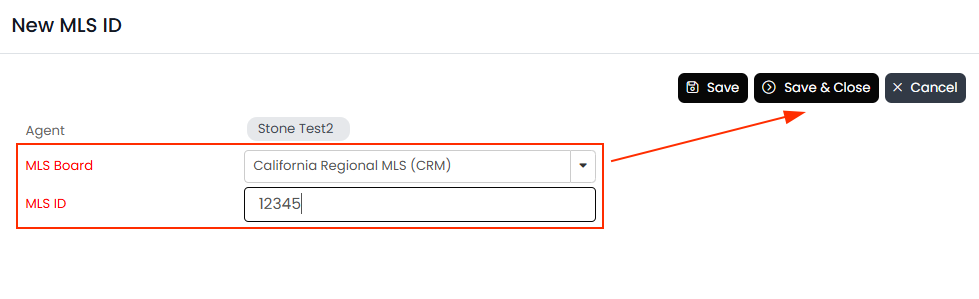
6. Click Save & Close.
The agent’s listings should begin appearing on their webpage within an hour, while past transactions may take a few hours to update.

